New in Filarr: document collection, forms on your website, client spaces and signed bank details
Four tools to work with your clients without asking them to create an account: a checklist of documents to fill in, an upload form on your website, a space to deliver and get approval, and a page that proves your IBAN. Everything is encrypted in the browser.
Mathis Belouar-Pruvot
· founder of Filarr · 10 min read
Short answer
Since late October 2026, Filarr Web offers four tools to exchange with clients who have no Filarr account: document collection (Pro and above), Filarr Drop forms for your website (every plan), client spaces to deliver and get approval (Pro and above) and verified bank details (Teams and Enterprise). Files and answers are encrypted in the sender’s browser. The desktop app gets them in its next version.
An accounting firm spends a good part of the year chasing documents. The December statement that never came, the invoice sent as a blurry photo, the accounts waiting for approval, the client asking “did you get it?”. And more and more often, a fake email announcing a new IBAN.
Over the last two weeks we released four tools for those moments. They share one thing: your client does not need a Filarr account. They open a link, they send or approve, and what they send is encrypted in their browser before it leaves.
The screenshots in this article come from Filarr Web, with a firm and a client made up for the example: Cabinet Morel, an accounting firm, and Fabre Bakery.
1. Document collection: a checklist, not an email thread
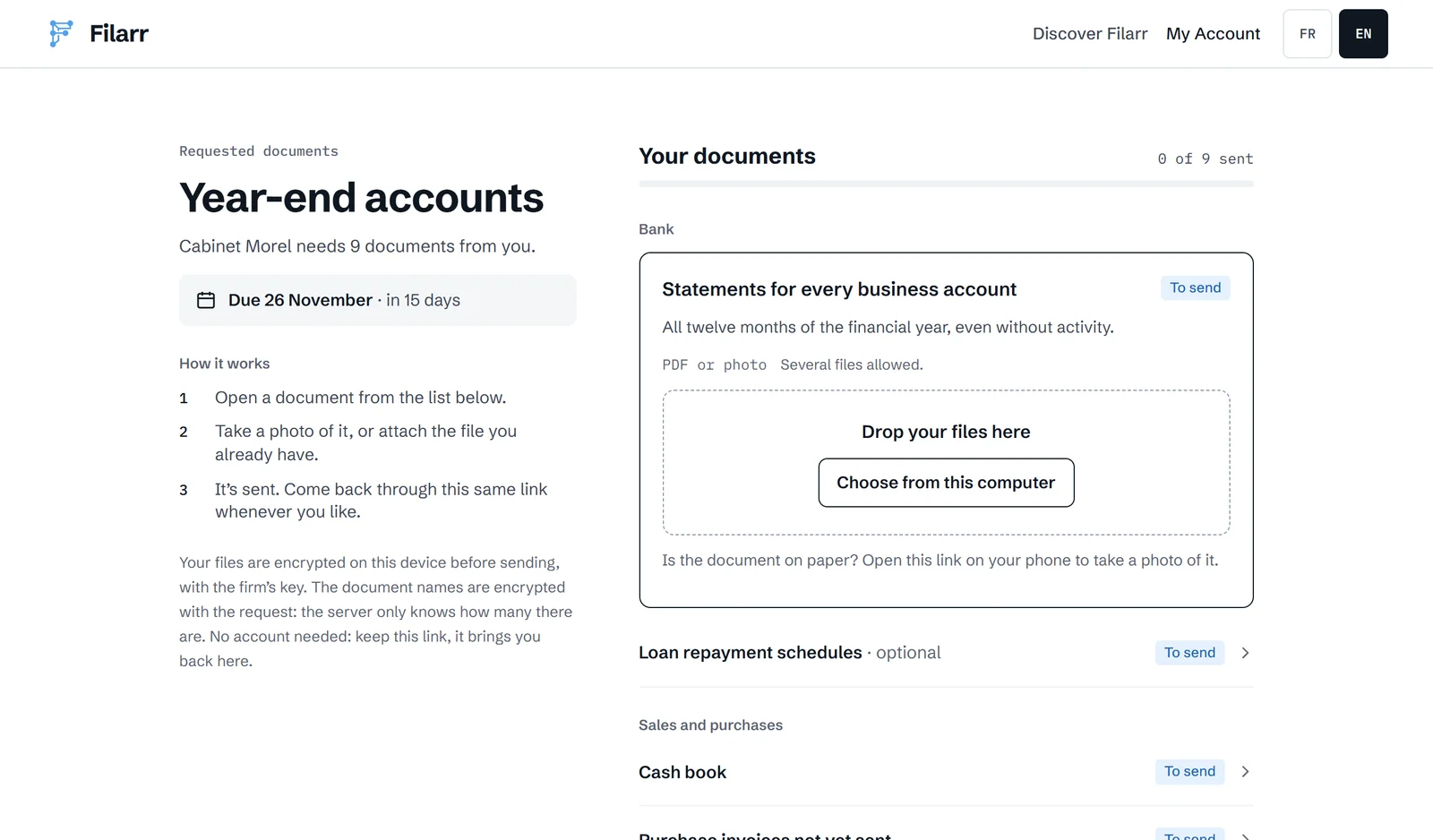
Since October 30, a document request can carry a checklist. You start from a template (year-end accounts, rental application, estate, property sale…), you pick the folder where documents should be filed, and Filarr gives you a link to send to your client.
Your client sees the list, grouped by topic, with what is required and what is optional. They drop each document in its place, from their computer or as a photo from their phone. They can come back through the same link as often as they need.
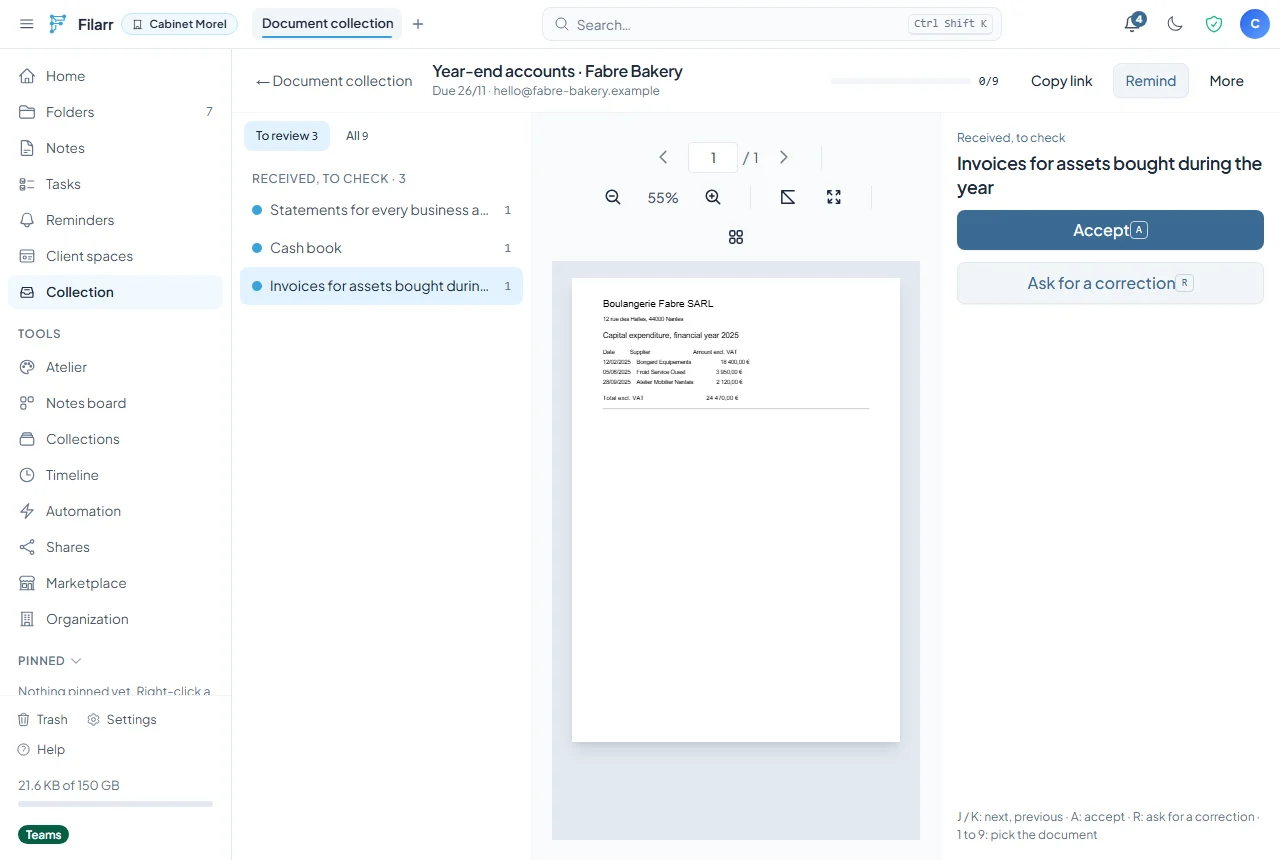
On your side, every document received lands in a “to check” queue. You open it in the preview, then accept it or ask for a correction. The keyboard is enough: J and K to move between documents, A to accept, R to ask for a correction.
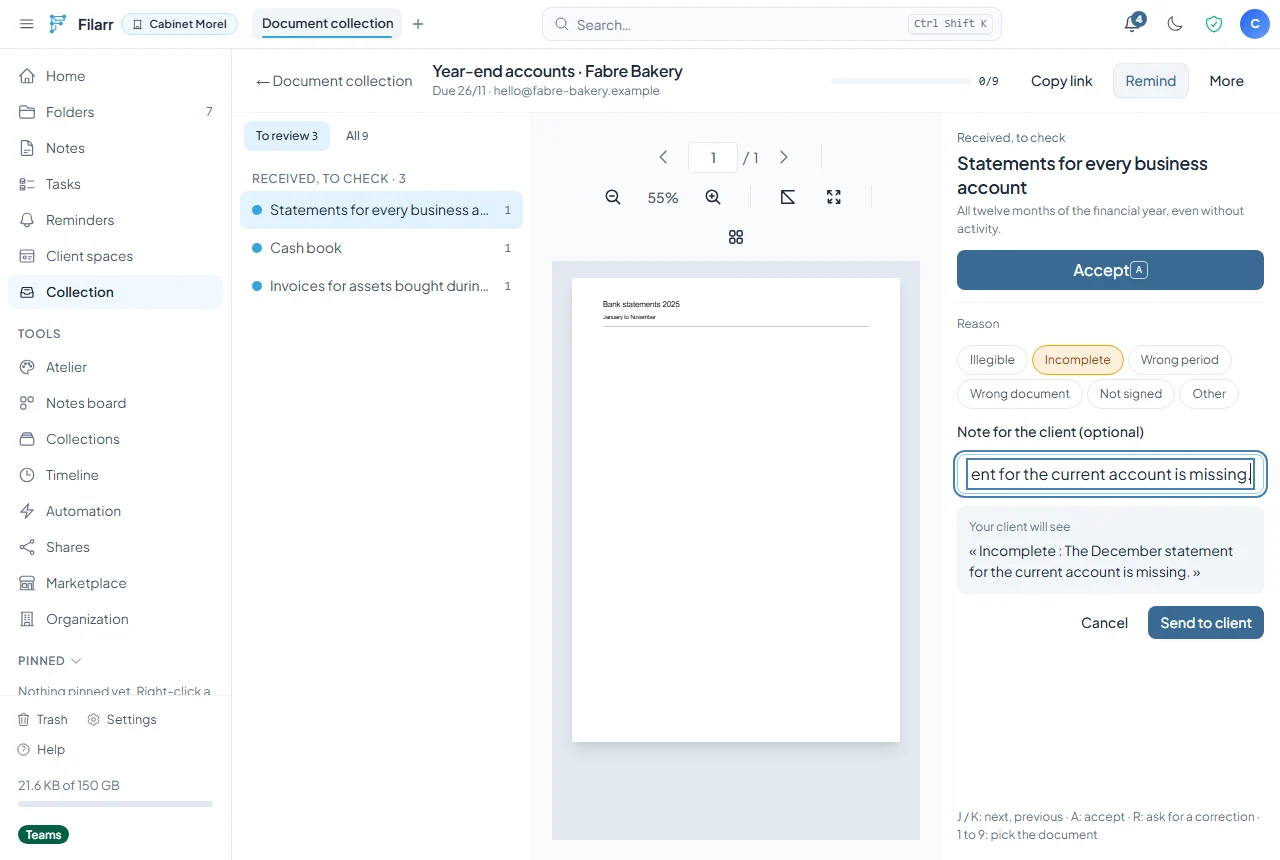
A correction goes out with a reason (illegible, incomplete, wrong period, not signed…) and a note if you want one. You see the exact sentence your client will read before you send it.
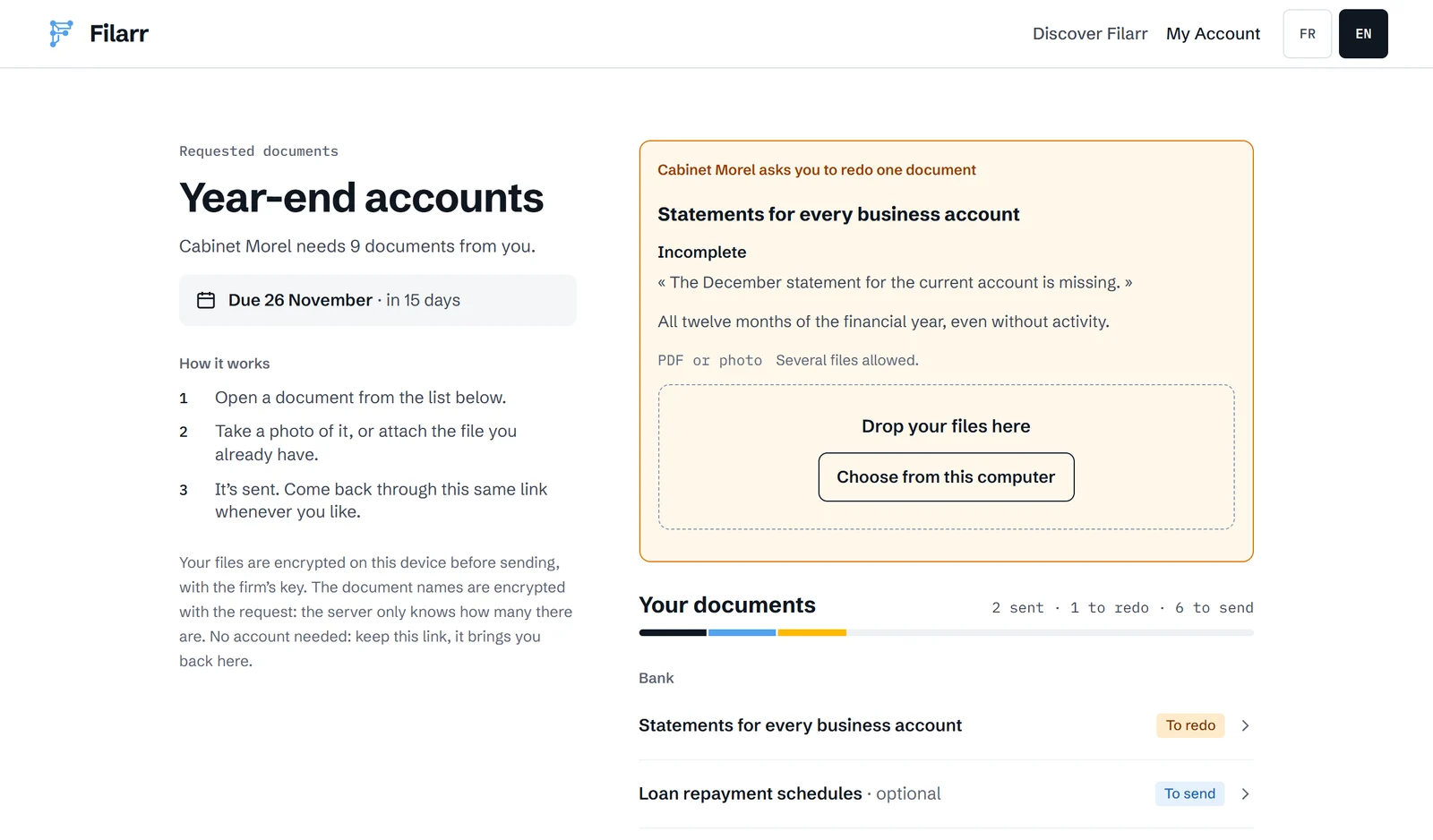
Your client finds it at the top of their page, with the document to redo and the place to send it again.
A few details that matter day to day:
- Reminders go out by email if you have the client’s address. They name neither the documents nor the file.
- A request can repeat every month or every quarter. The next period is created on its own when the due date passes.
- The CSV export gives the status of every document, for your own tracking tool.
- The server only knows how many documents there are. Their names and your correction notes are encrypted with the request.
Document collection is included in the Pro, Teams and Enterprise plans.
2. Filarr Drop: an upload form on your website
Document collection works when you know what you are waiting for. Filarr Drop works when the visitor comes to you: a prospect sending their documents, a job applicant, a client reporting a claim.
Since November 5, you create a form in Collection, under Website forms. Seven templates give you a starting point, and each one can be changed freely afterwards.
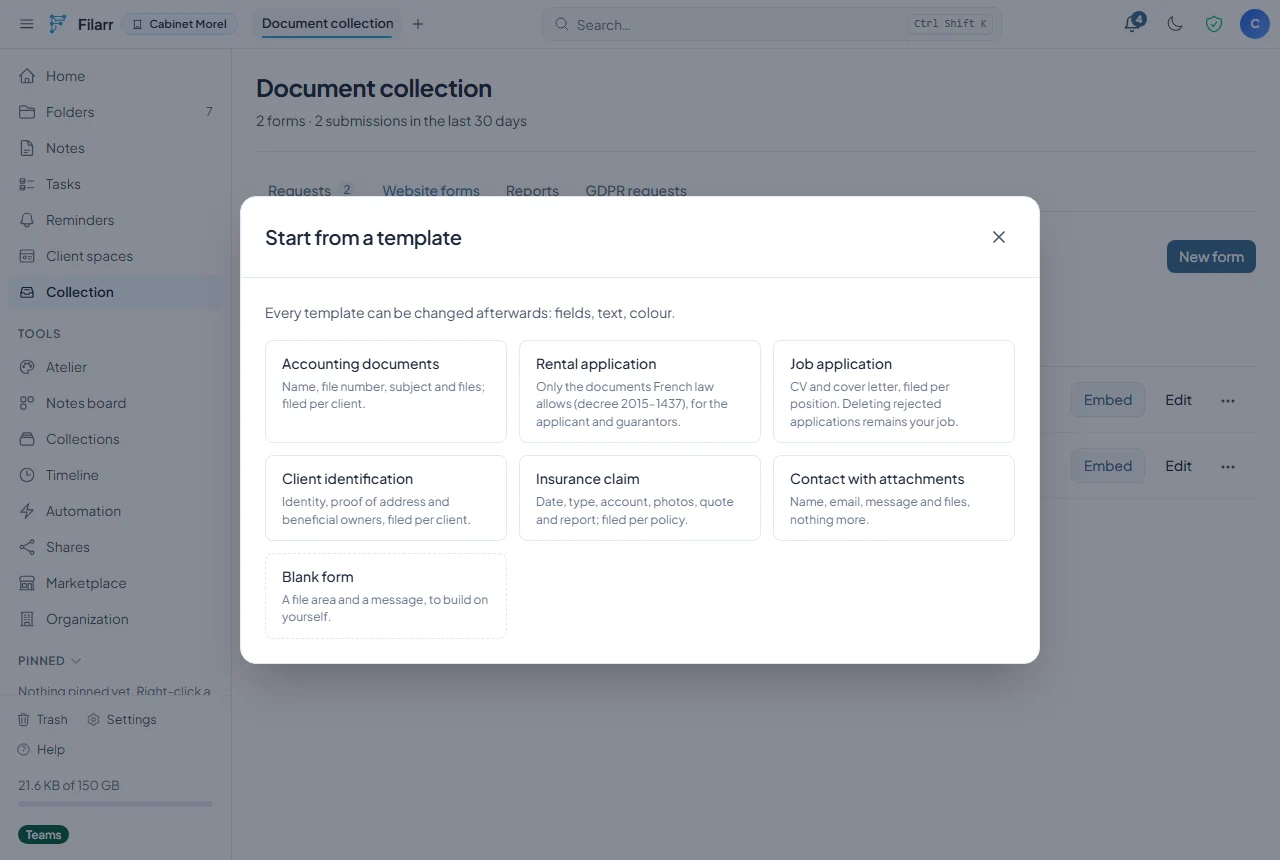
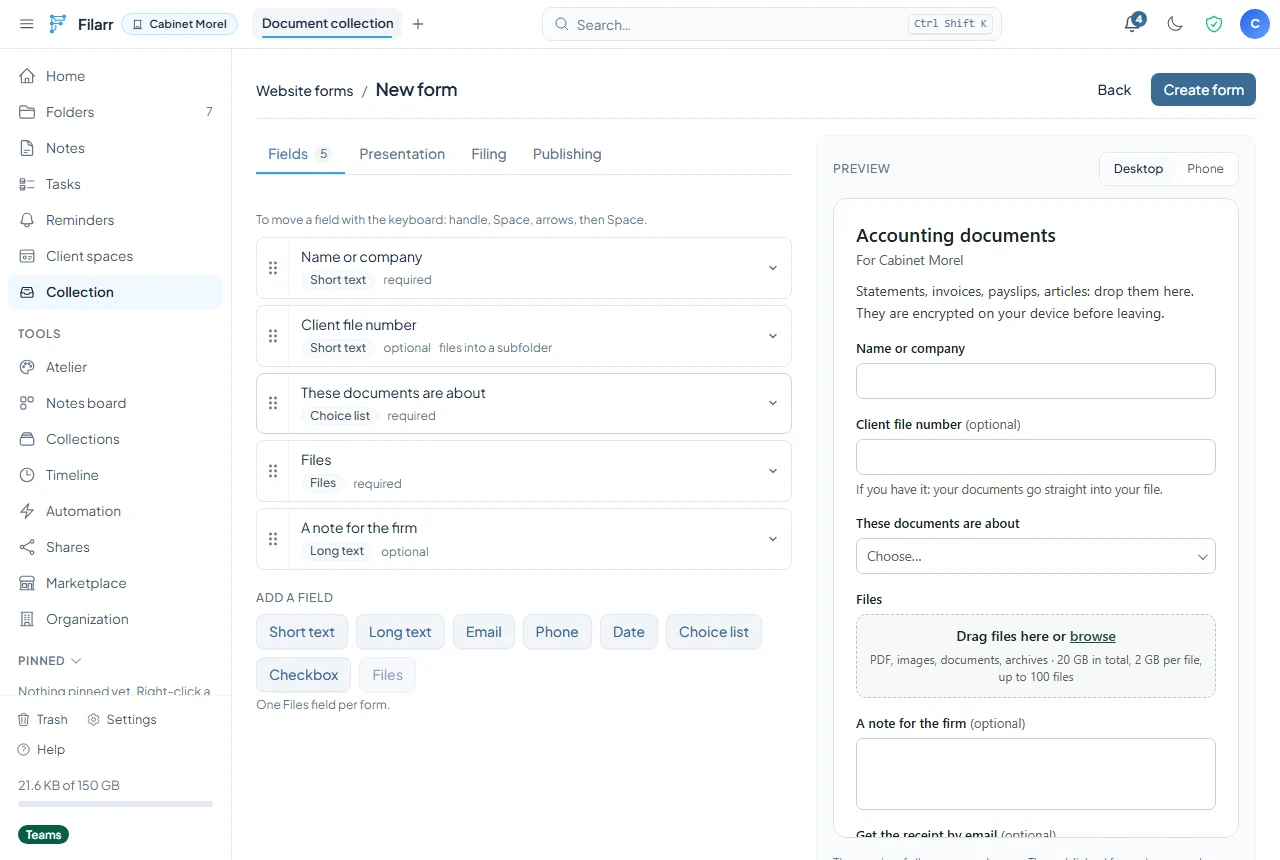
The editor shows a preview next to the fields. A field can drive filing: with the “Accounting documents” template, a client file number sends the files straight into that client’s subfolder.
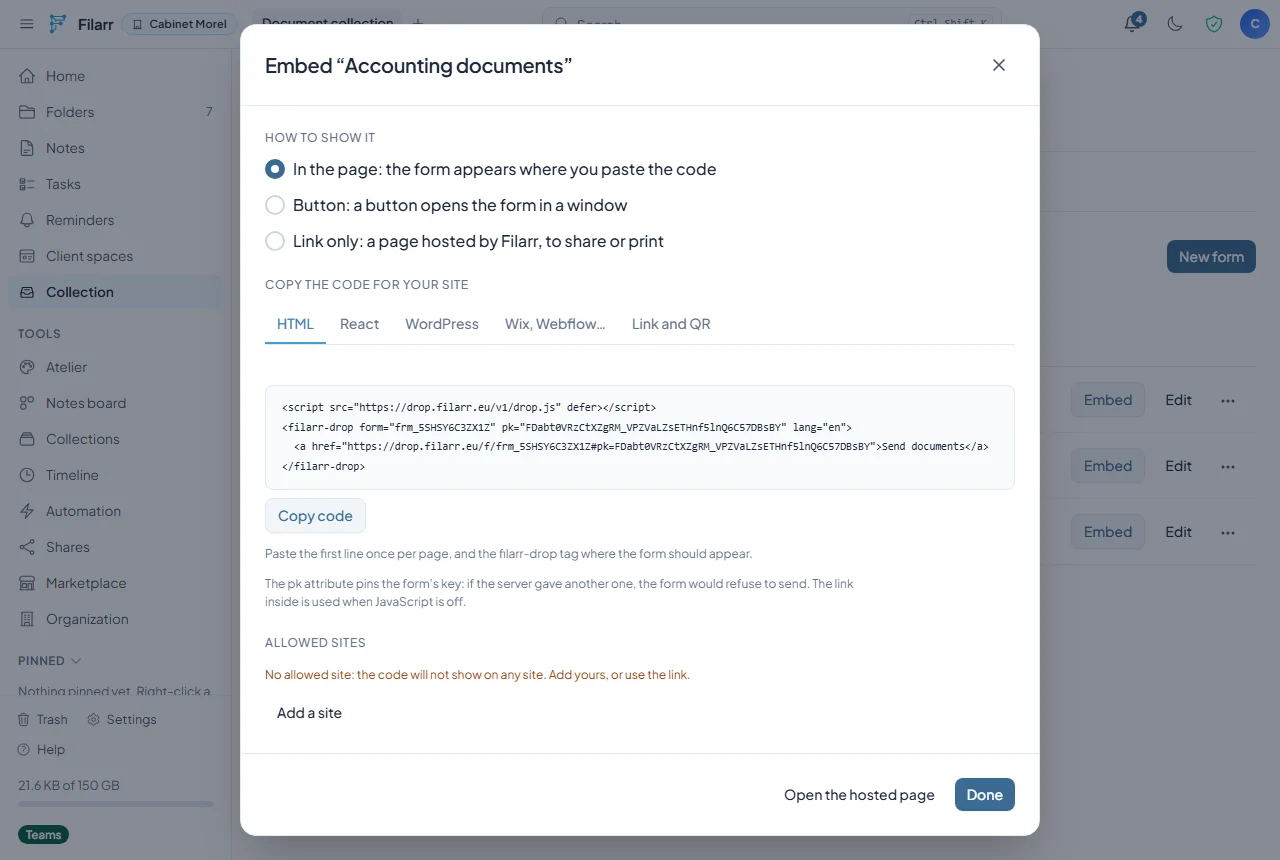
To show it, you paste two lines of code into your website. The Embed window gives you the version for HTML, React, WordPress, Wix and Webflow, or just a link and a QR code if you have no website. The code carries the form’s public key: if a server ever presented another one, the form would refuse to send.
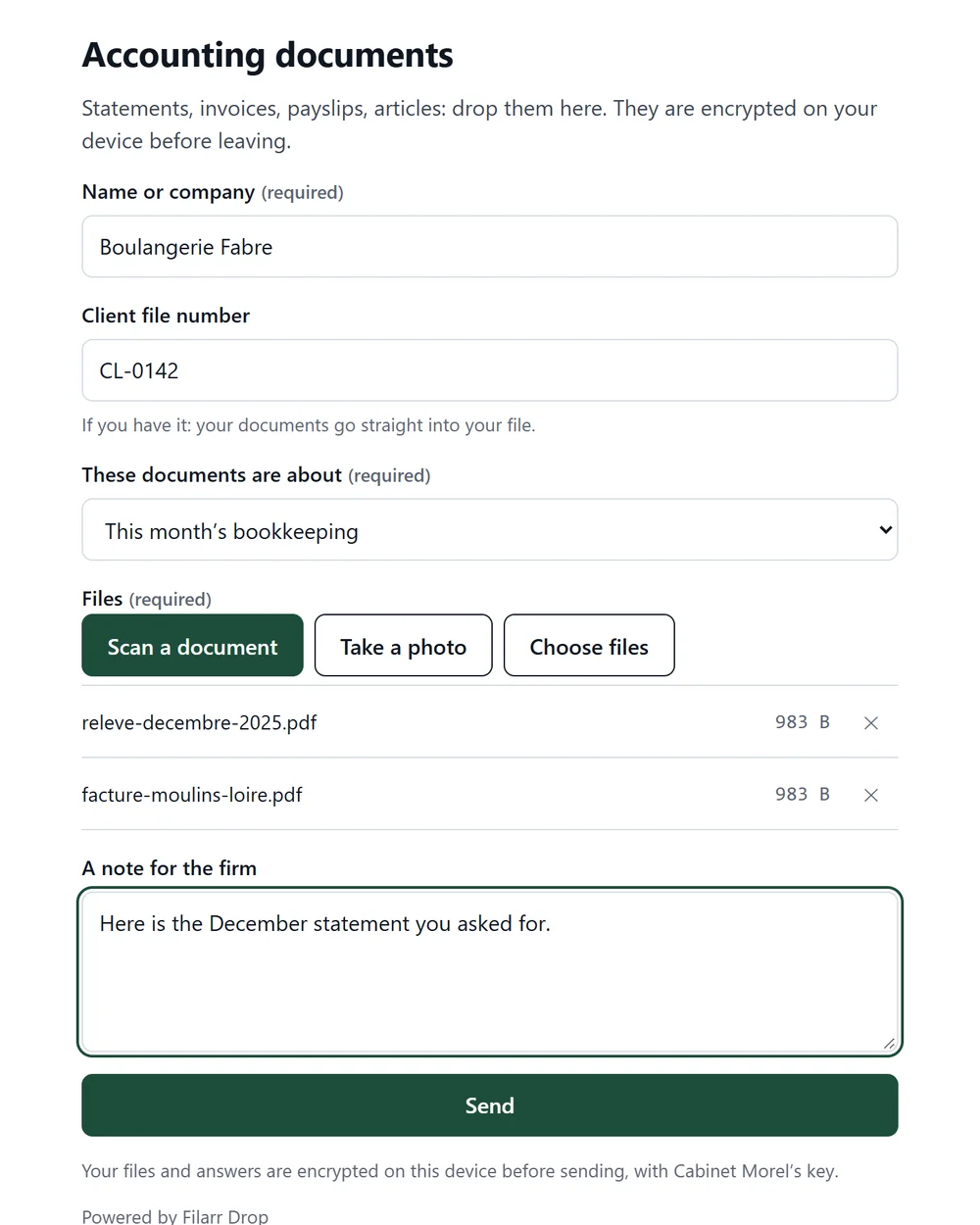
The visitor fills in the form and adds their files. On the page hosted by Filarr, they can also scan a paper document with their phone’s camera. Files and answers are encrypted in their browser with your firm’s key.
After sending, they get a receipt code and can download a PDF receipt. Filarr signs the receipt on arrival, and it holds the fingerprint of every file, computed on their device. If someone ever says “we never got anything”, they have something to show. If you turn it on, they can also get the code by email, with no file name in it.
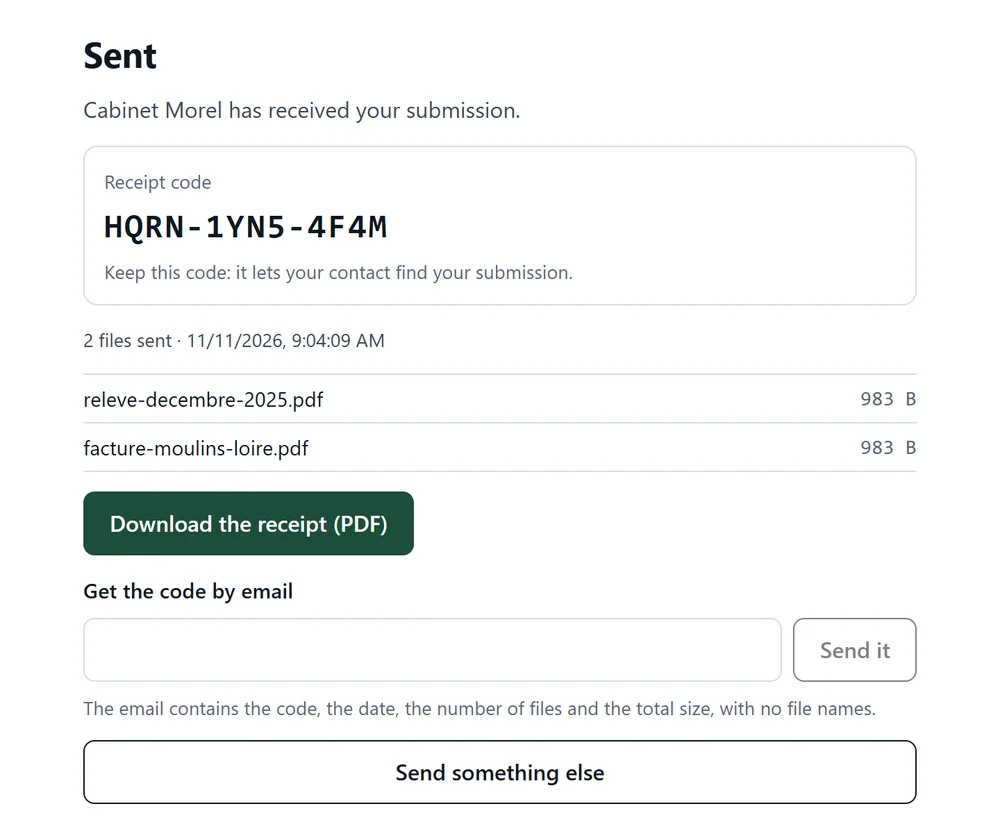
Filarr Drop is available on every plan. The Free plan gives you one form and 25 submissions a month. The pricing page lists the limits of each plan, and the Filarr Drop page shows the templates and the integration guide.
Anonymous mode for a form
As of today, every Filarr Drop form has a “Depositor privacy” setting. Once anonymous mode is on, the server no longer records anything that locates the person sending: no country, no address range, no fingerprint of their IP address. A random token links the start and the end of their upload. The email receipt is no longer offered.
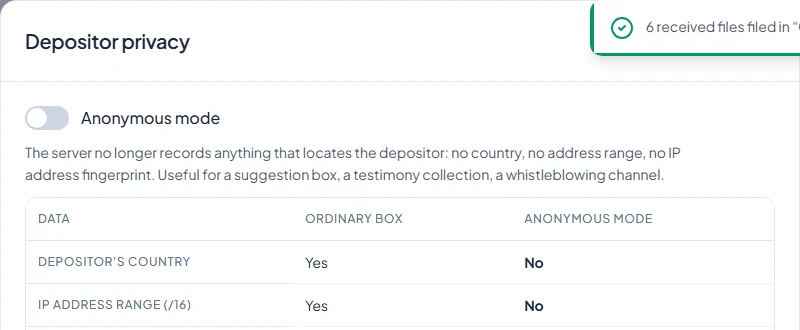
It is useful for a suggestion box, a testimony collection or an internal survey. The IP address still passes through our host and our server while each request is carried, as with any web page. It is simply written nowhere. The form page also opens in Tor Browser, for anyone who wants to hide their address from the network.
3. Client spaces: deliver, talk, get approval
Since November 8, a client space brings together everything you exchange with a client on a matter: deliverables, requested documents, shared notes and messages.
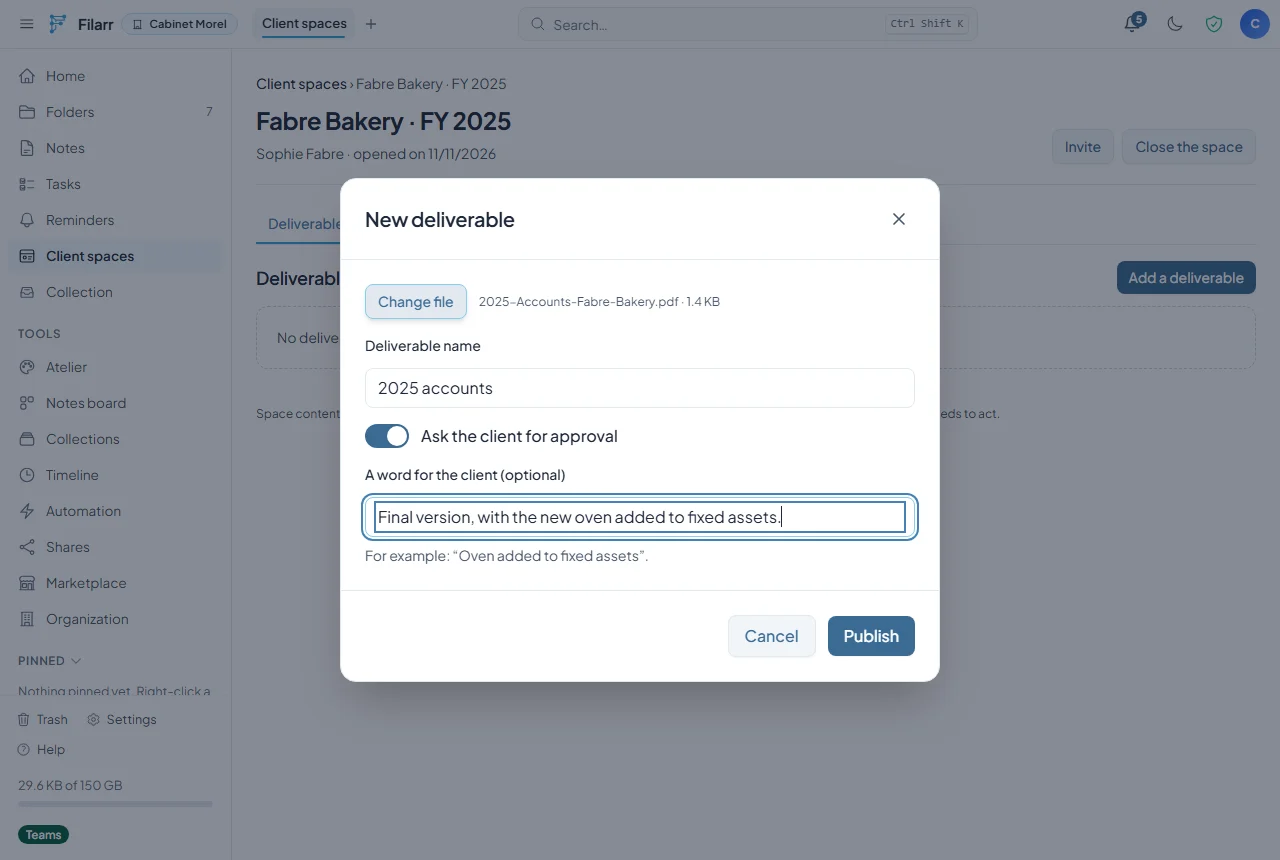
You open a space, invite a person by name and email address, and send them the link. A deliverable can ask for approval: your client reviews it, then approves it or asks for changes.
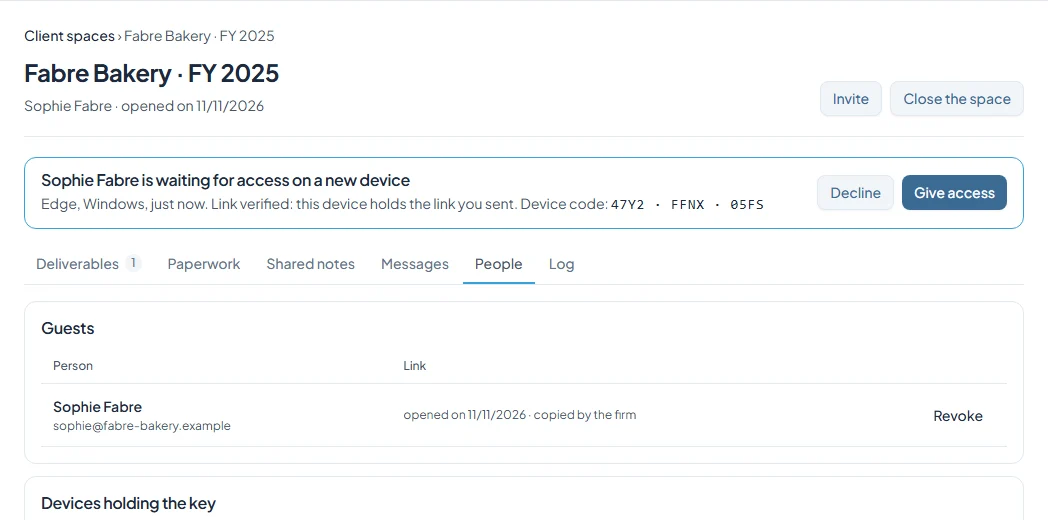
The first time your client opens the link, their browser creates a key for that device. You see the request in the space, with the type of device and a code. If you have any doubt, you compare that code with the one shown on your client’s screen, over the phone. You give access, and only then does the device receive the space key.
Your client then lands on their space: what is waiting for them at the top, the deliverables, the messages. They create no account and remember no password.
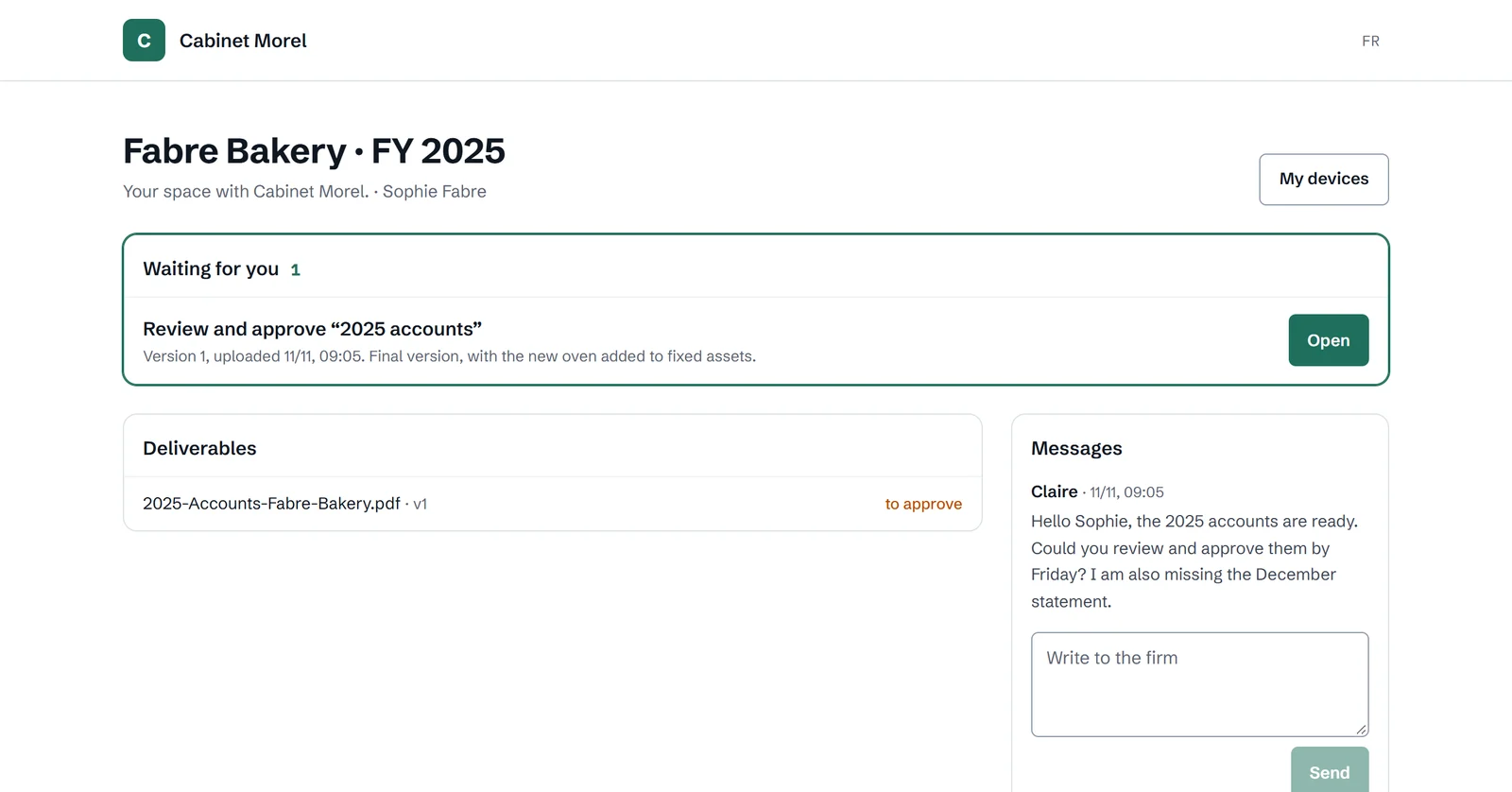
When they approve, their decision is signed on their device. It carries the exact fingerprint of the file they reviewed, the date and their device key. The client and the firm hold the same receipt, and anyone can recompute the fingerprint from the downloaded file.
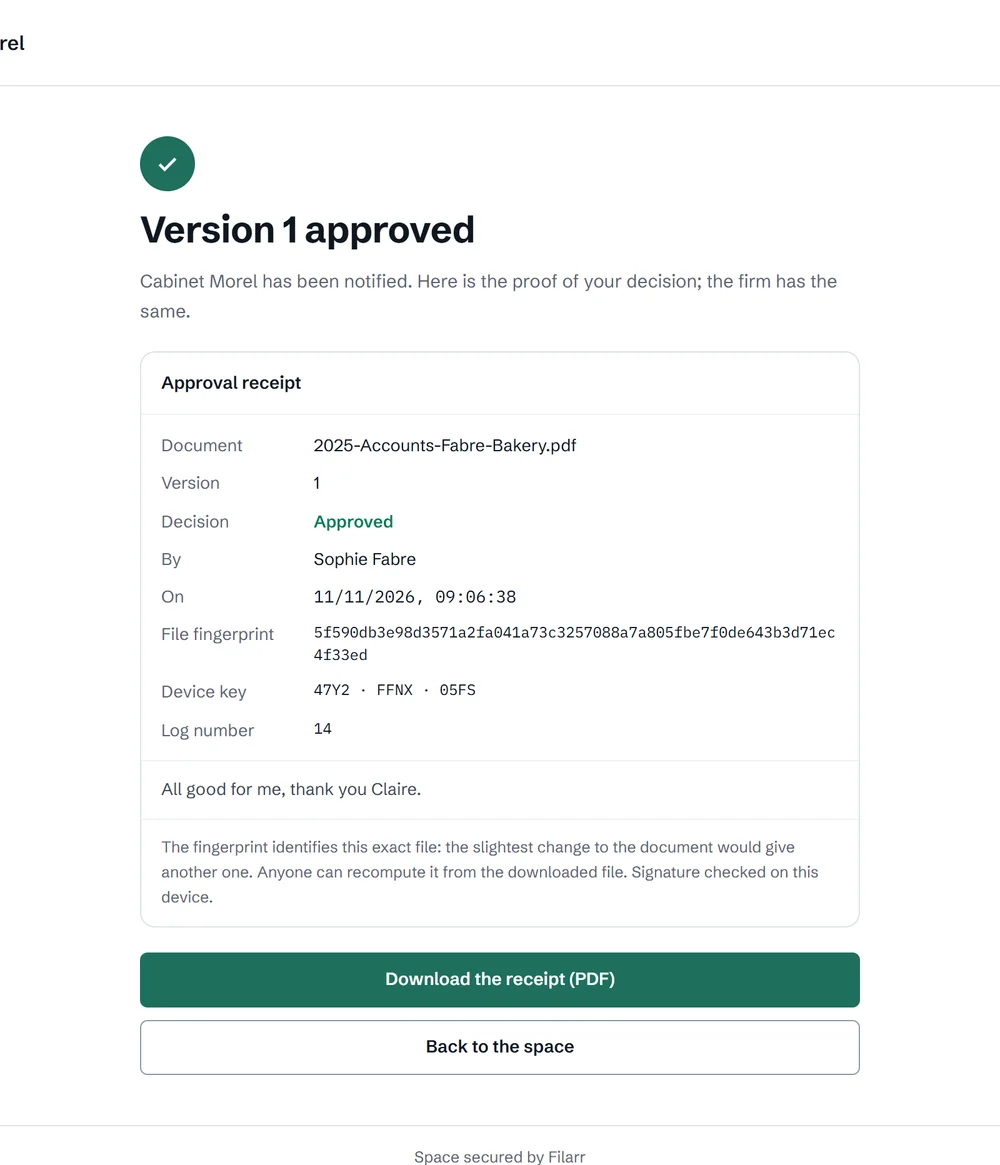
The content of client spaces is end-to-end encrypted. The server knows counters (how many documents, how many messages, who has to act) but not the files, the messages or their names.
Client spaces are included in Pro (three open spaces at a time) and in Teams and Enterprise, with no practical limit.
4. Verified bank details: a page that proves the IBAN comes from you
Invoice redirection fraud almost always follows the same script: an email imitating your firm announces new bank details. The transfer goes to someone else.
Since October 31, a Filarr organization can publish its bank details on a page signed with the organization’s key. You first need a verified domain, the one of your website or your email addresses. Then you enter the account name, the exact beneficiary name, the IBAN and a note, and you publish.
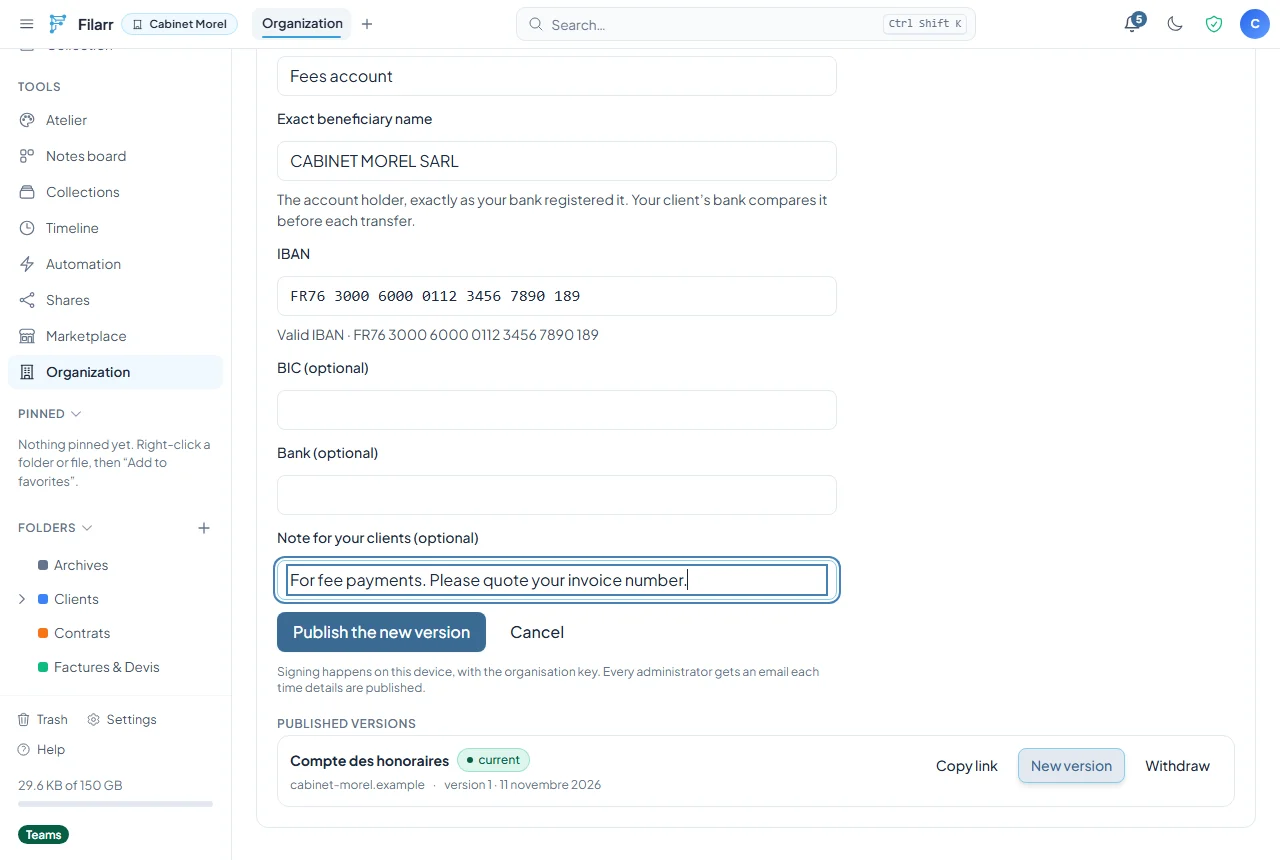
Filarr then gives you a link and a code. The code travels another way than email: on the paper invoice, over the phone. Without it the page does not show the IBAN, so finding the page is not enough to get your details.
Your client opens the link, types the code and sees your details. Their browser checks the signature and the IBAN check digits by itself. The page shows the domain verified by Filarr and the security number of the firm’s key, to compare out loud. If you publish that number in your domain’s DNS, the browser finds it on its own as well.
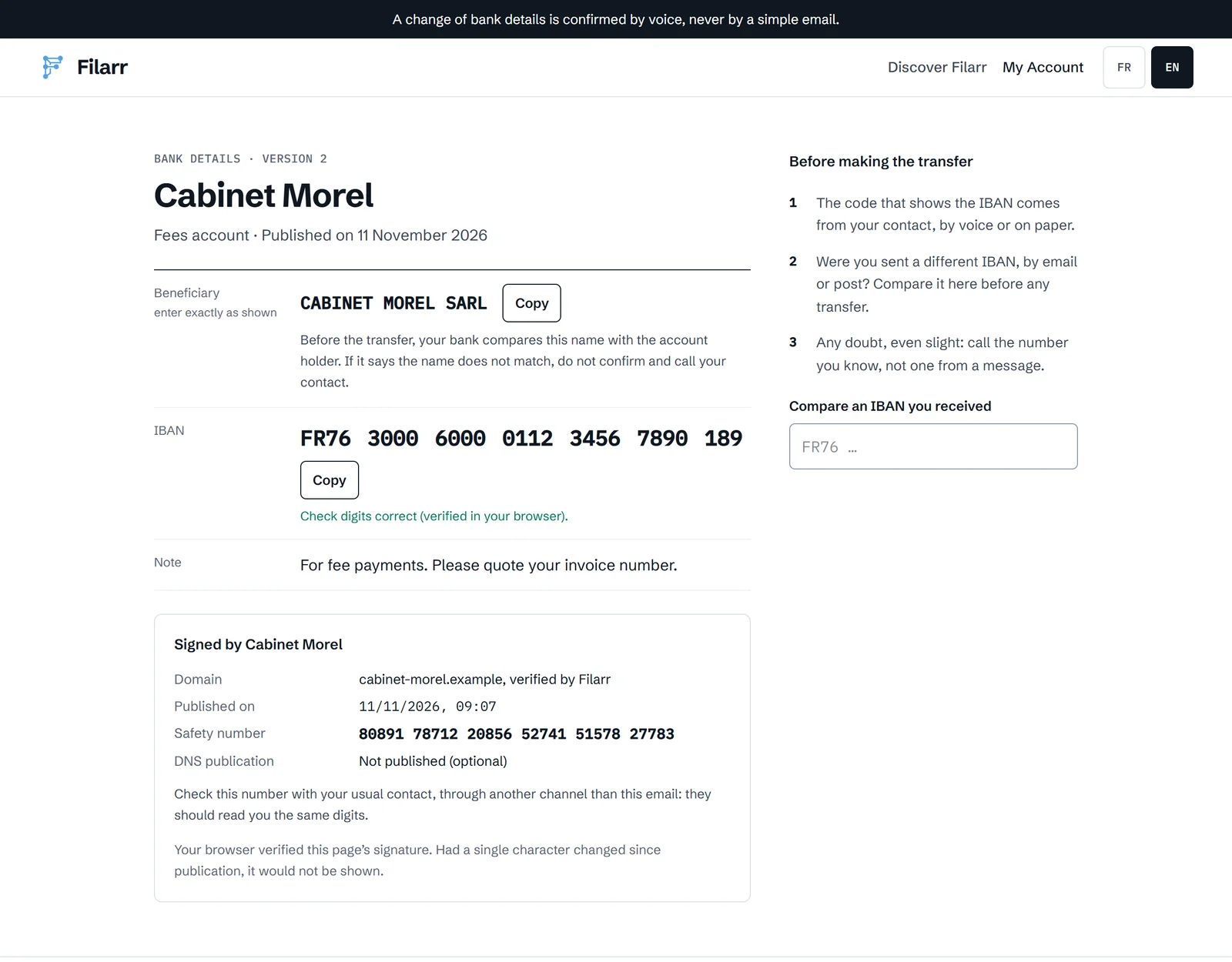
The beneficiary name stands apart, to be typed exactly as shown. Since 9 October 2025, banks in the euro area compare that name with the account holder before every transfer (Verification of Payee, EU regulation 2024/886). A name copied wrong makes that check fail.
When your details change, you publish a new version. The old link does not redirect to the new one: it says “these details have been replaced” and sends nowhere. A link that always followed the latest version would also follow a fraudster’s.
Verified bank details are included in Teams and Enterprise. The IBAN check tool, which checks the digits of an IBAN you received, is free and open to everyone.
Where to find these tools
| Tool | Where | Plans |
|---|---|---|
| Document collection | Filarr Web, Collection | Pro, Teams, Enterprise |
| Filarr Drop forms | Filarr Web, Collection, Website forms | all, including Free |
| Anonymous mode for a form | form menu, Depositor privacy | all |
| Client spaces | Filarr Web, Client spaces | Pro, Teams, Enterprise |
| Verified bank details | Filarr Web, Organization, Bank details | Teams, Enterprise |
Everything is live on Filarr Web. The desktop app gets these tools in its next version. The mobile app does not have them yet. The pages your clients see (the checklist, the form, the space, the bank details) work in any recent browser, on a computer or a phone, in French and English. Filarr Drop forms also come in German, Spanish and Italian.
A question, or a use case that does not fit these boxes? Write to us, we read everything.