Everything Filarr does. Nothing more, nothing less.
No empty promises. Here’s exactly what you get when you download Filarr today.
Rich note editor
A block editor built on TipTap, not just raw Markdown. Tasks, tables, callouts, bidirectional wiki-links, transclusion between notes, built-in templates — and real databases inside the page, with typed properties, relations, rollups and four views (table, dashboard, gallery, calendar). Full Obsidian and Notion import, distraction-free mode, all encrypted locally.
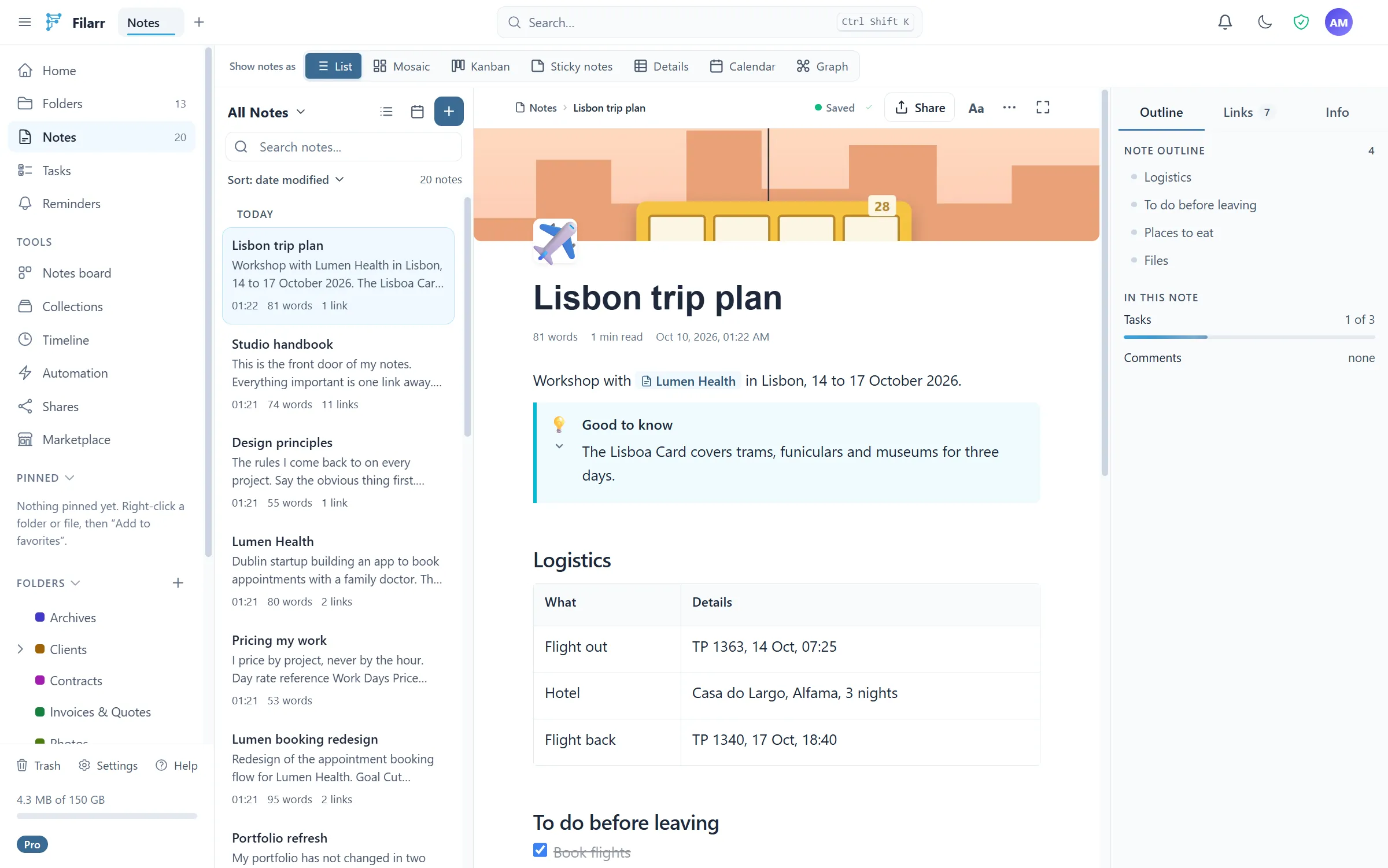
Graph view
Visualize connections between your notes AND your files — not just notes. Real-time physics simulation, automatic community detection, and a time travel mode to observe how your graph evolved over time. Built from scratch, not a plugin.
Native AES-256-GCM encryption
Each file gets its own encryption key (FEK), protected by a master key (KEK) derived from your password via PBKDF2. Encryption happens exclusively on your machine. No server ever has access to your plaintext data — not locally, not in the cloud. This isn’t an add-on — it’s the architecture.
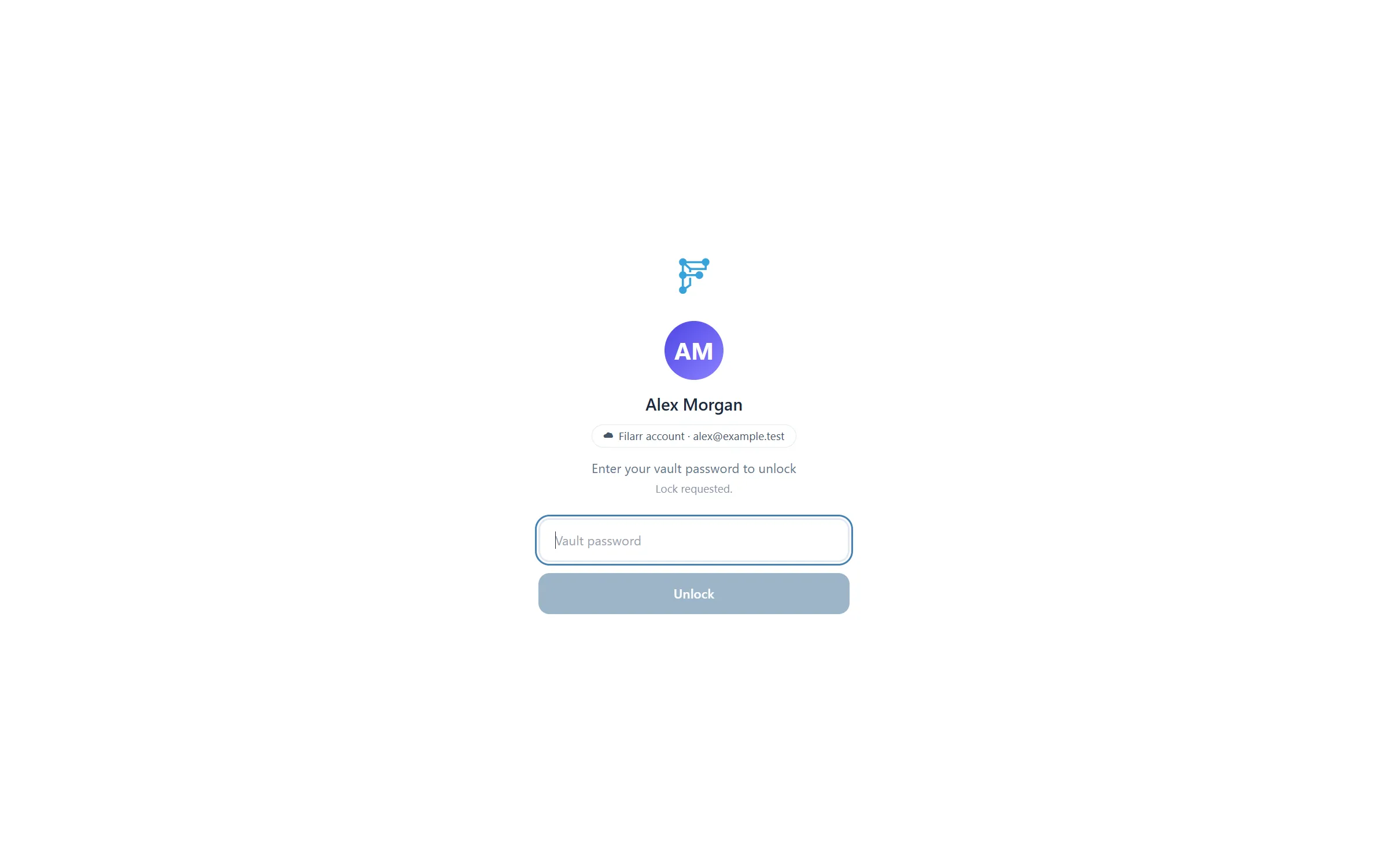
End-to-end encrypted shared vaults
Create a vault, invite whoever you want, work in it together — and the server stays incapable of reading a single line. Roles (admin, editor, viewer), activity feed, comments, trash, read-only freeze, key rotation when a member leaves, and a full management page per vault. Editing together happens in real time: two people write in the same note, each sees the other’s keystrokes, and the server only relays opaque bytes.
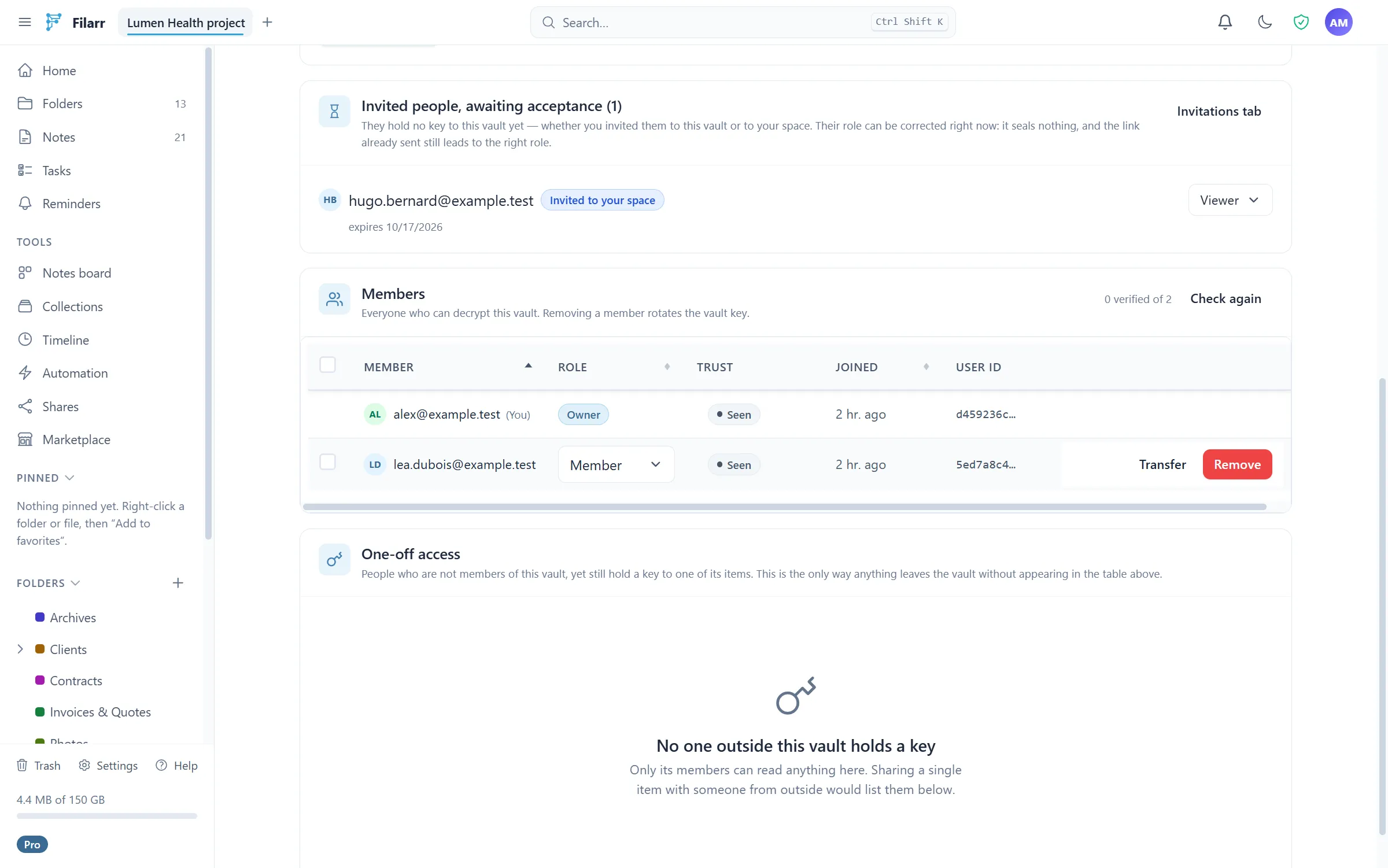
Filarr in the browser
app.filarr.com opens your vaults, notes and files from any computer, with nothing to install. Decryption happens in your browser: the key never leaves your machine. Two-way sync with the desktop app, passkey unlock, and a security posture page that explains in plain words what the server can and cannot see.
Open Filarr Web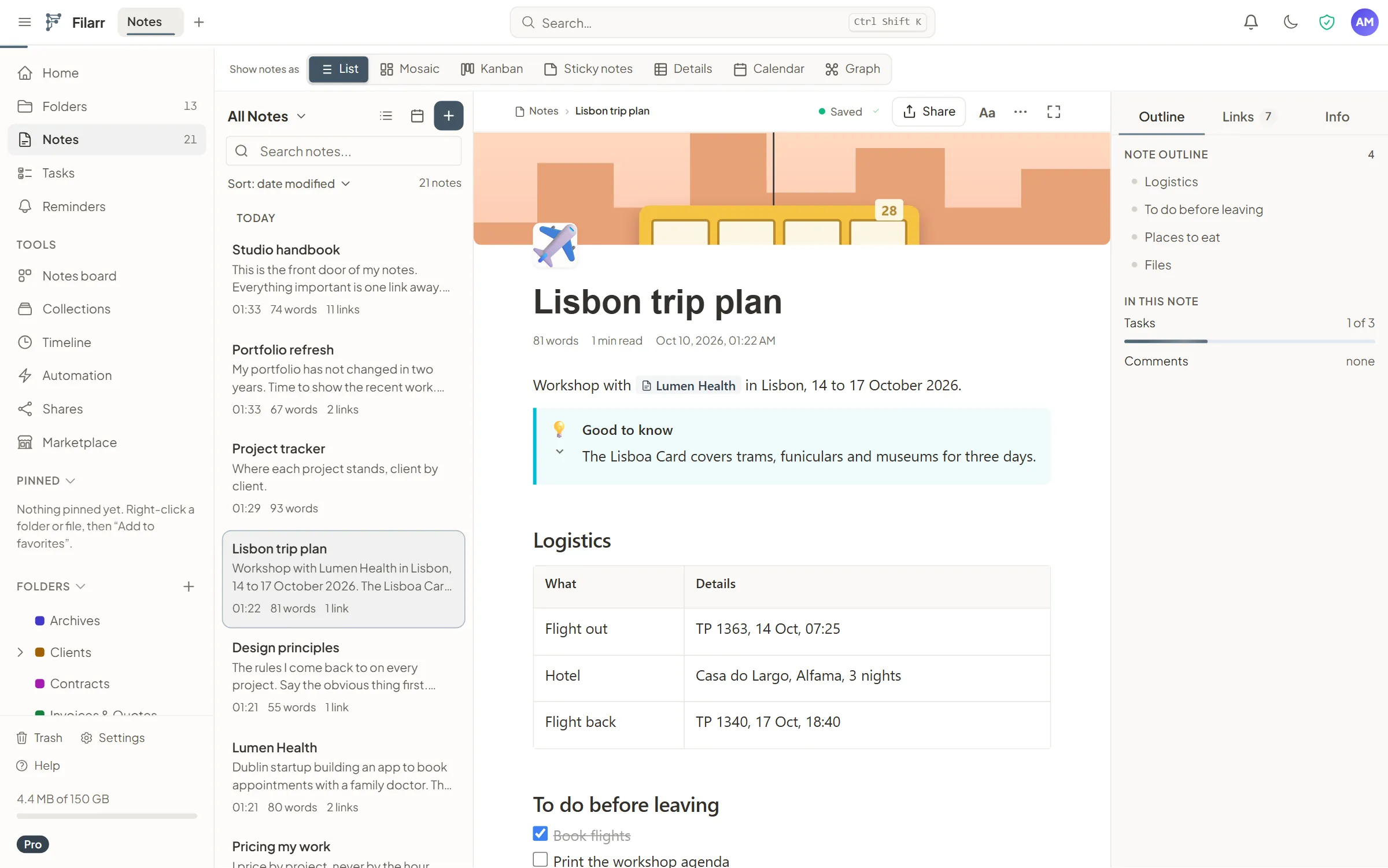
A workspace that looks like you
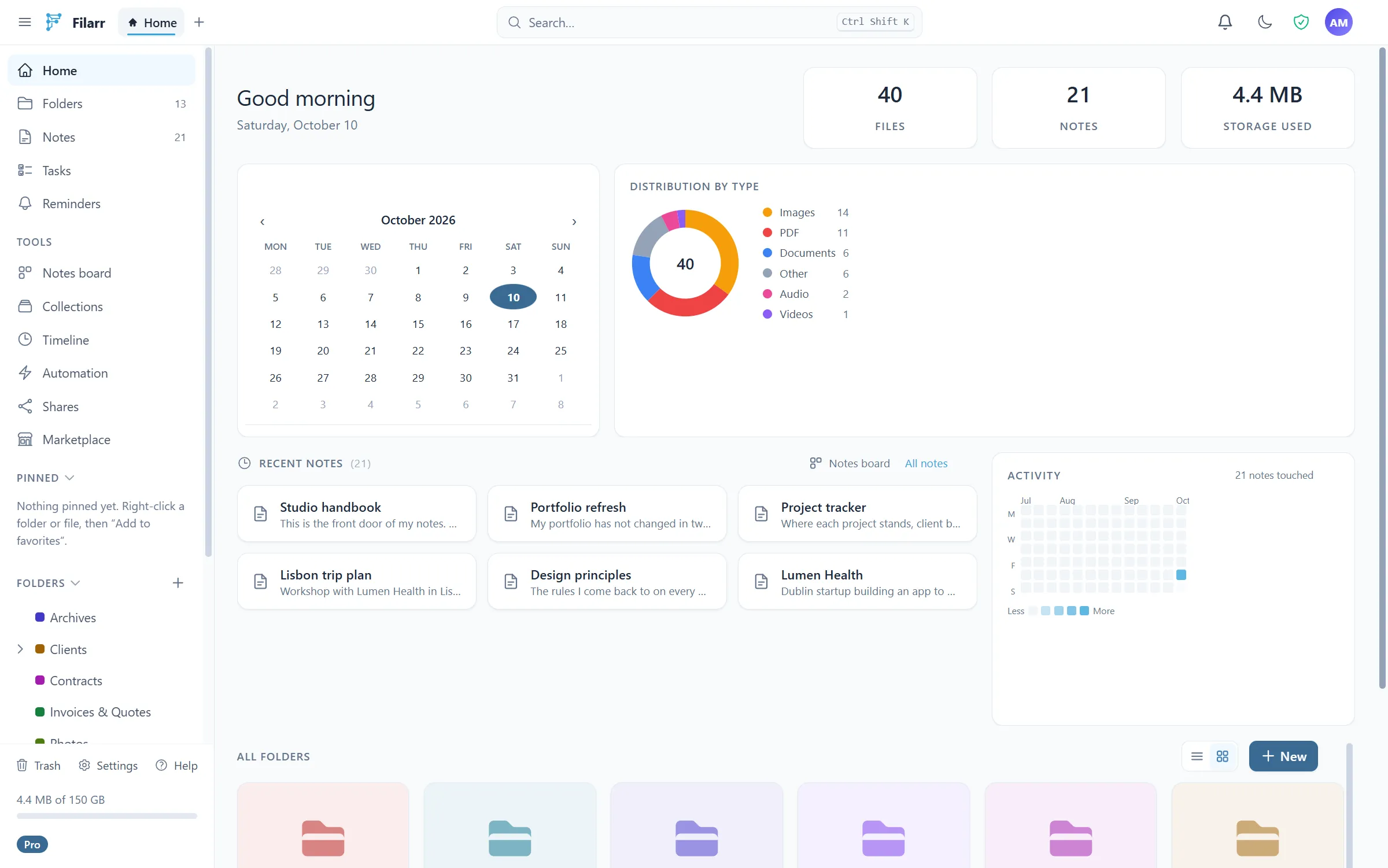
The home is a grid of blocks you compose: recent notes, folders, shared vaults, activity, favorites — over forty blocks, moved and resized with the mouse. The theme workshop tunes background, surfaces, text, accent and borders, with animated backdrops and five bar layouts. Your layout is encrypted, synced across your devices, exportable — and publishable to the template marketplace, where other people’s layouts install in one click.
End-to-end encrypted file sharing
Send any file to anyone without compromising confidentiality. The file is encrypted in your browser (AES-256-GCM), the key sits in the URL fragment and never reaches our servers (RFC 3986). The upload goes straight to encrypted storage, without transiting through the server. Anonymous via filarr.com/send, or authenticated from the app with revocation, download history and a "one download per IP" option.
See how it works →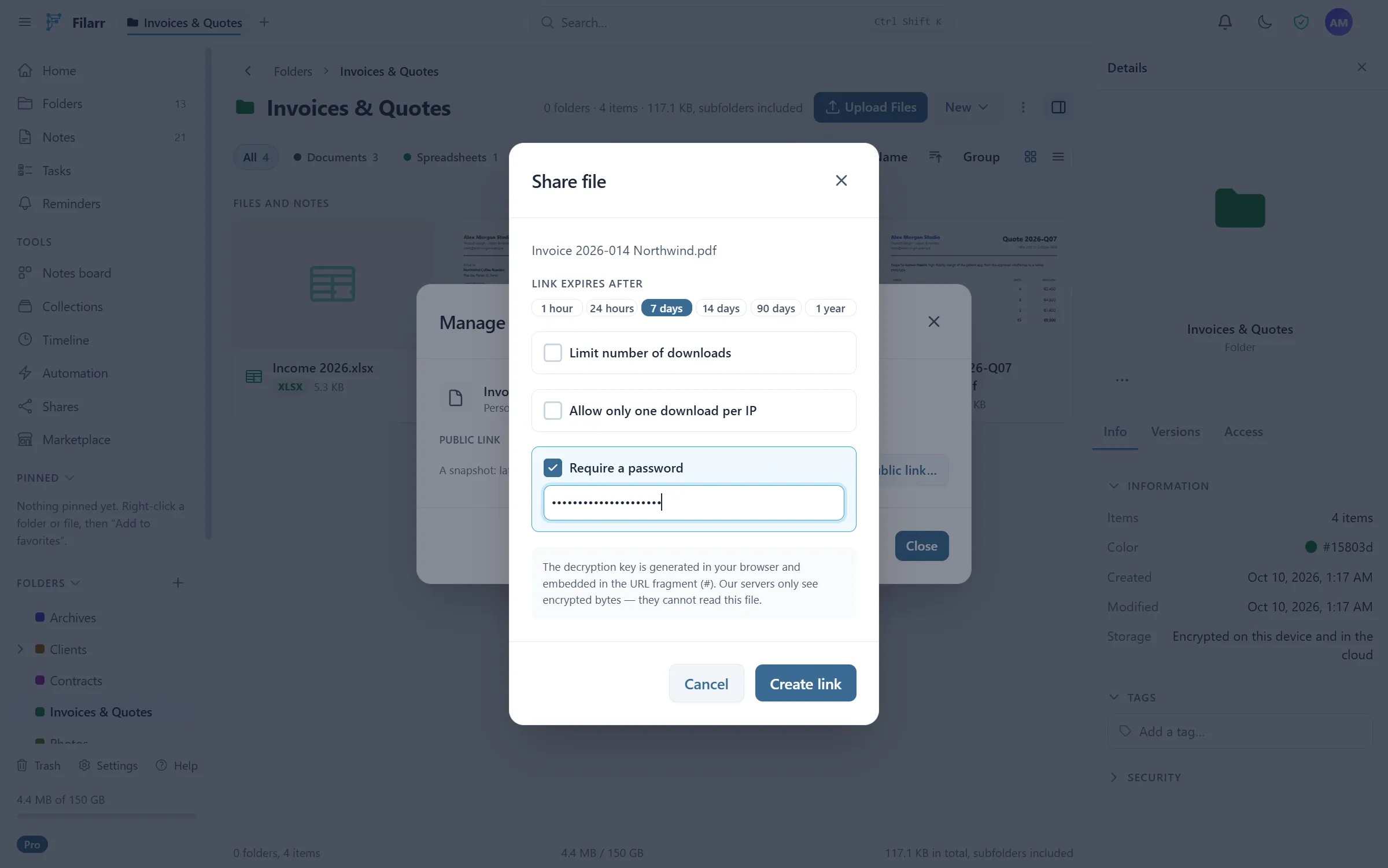
Canvas and drawing
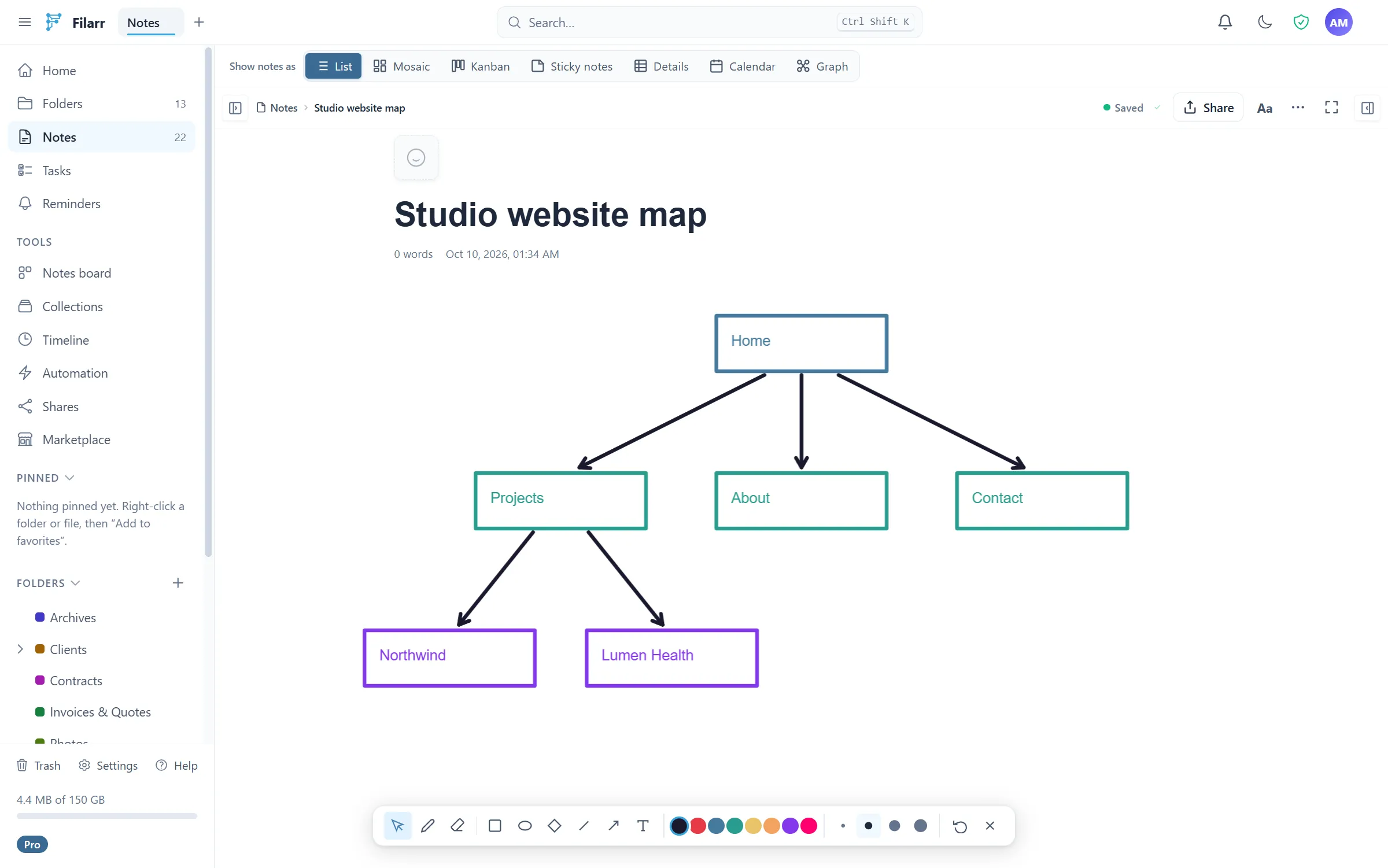
A built-in infinite 2D drawing space, Excalidraw-style. Custom implementation, not an external dependency. Draw, annotate, visually organize your ideas directly in your encrypted workspace.
Multiple views
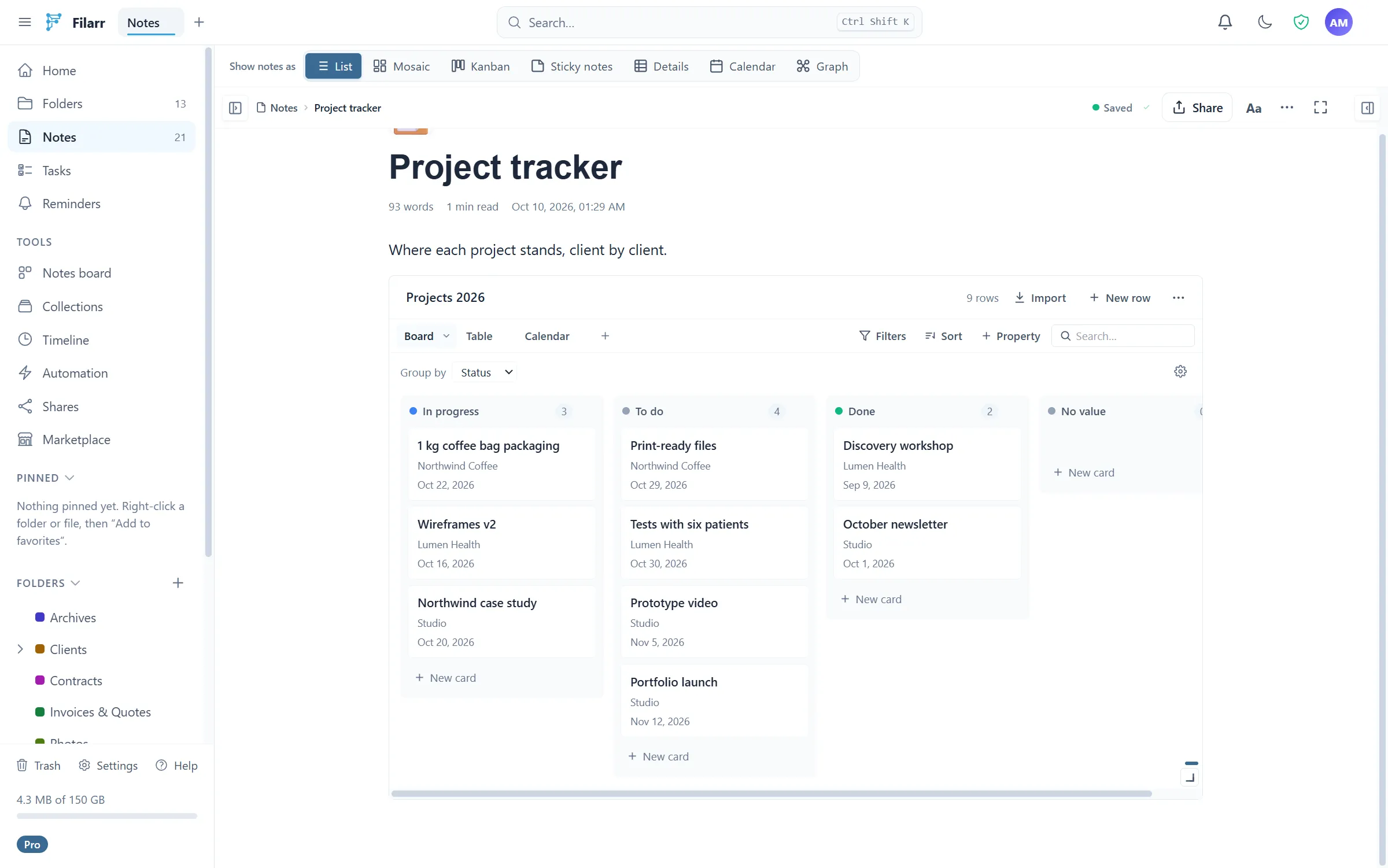
Display your data however you want: list, hierarchical tree, kanban, masonry, sticky notes, flashcards, wiki view, mind map, or an infinite spatial canvas. Change the view without changing your data.
80+ formats with built-in preview
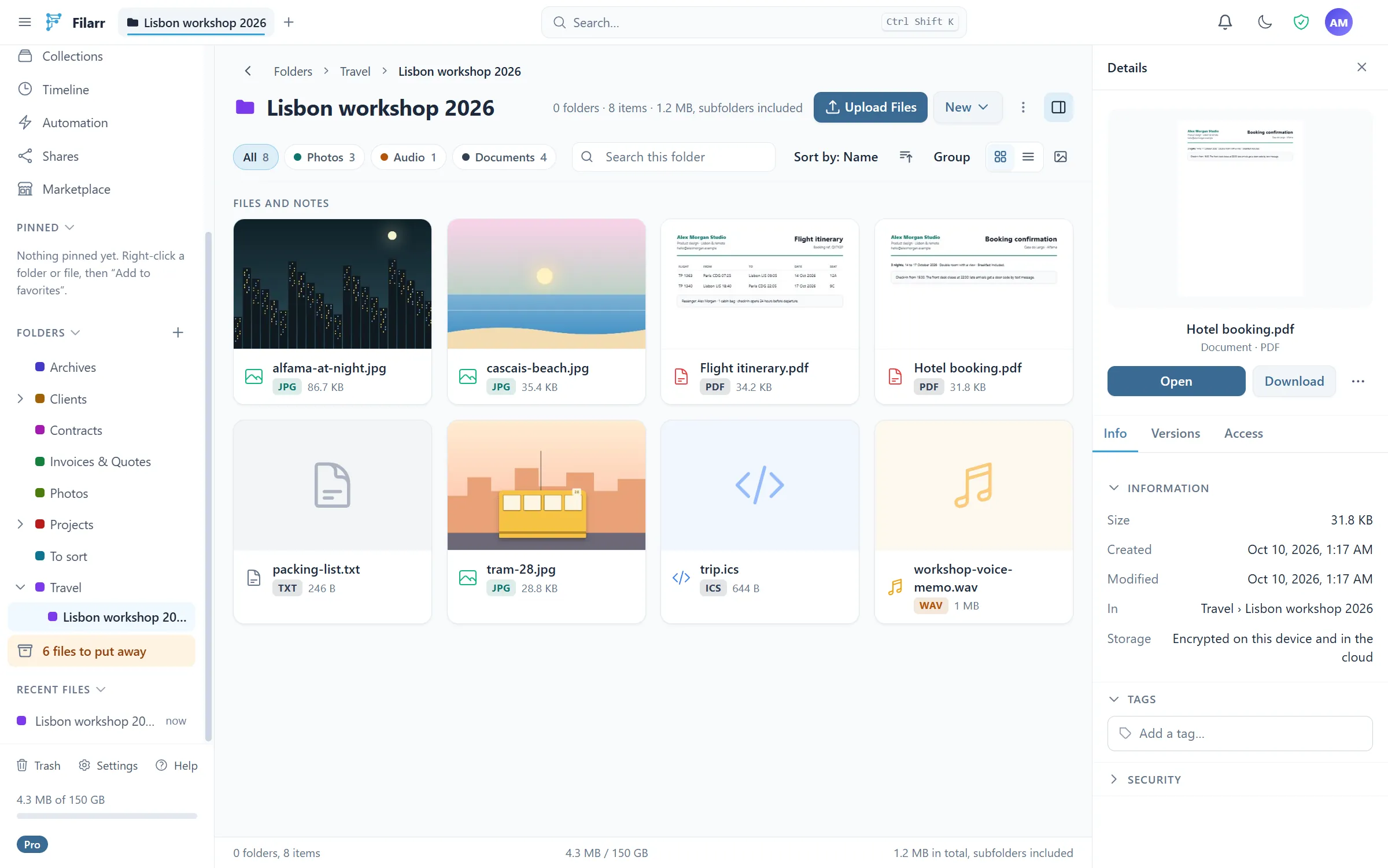
PDF, streaming video and audio (instant playback inside a multi-gigabyte file — only the passage being played is decrypted), syntax-highlighted source code for around sixty languages, Markdown with Mermaid and KaTeX rendering, .docx, editable CSV/TSV spreadsheets, .ics calendars, images, fonts, emails, 3D models, and ZIP, 7z and RAR archives decompressed by a hand-written engine. Everything is decrypted and displayed locally, with no third-party service.
Sandboxed plugins
Plugins add editors, views and formats without touching the core of the application. Each runs isolated, with no free network access and no way to exfiltrate plaintext: unreviewed code can run without putting your data at stake, and every capability it requests is declared, displayed and refusable. The marketplace is signed end to end — Filarr refuses to install what it cannot verify.
Protect a file right where it sits
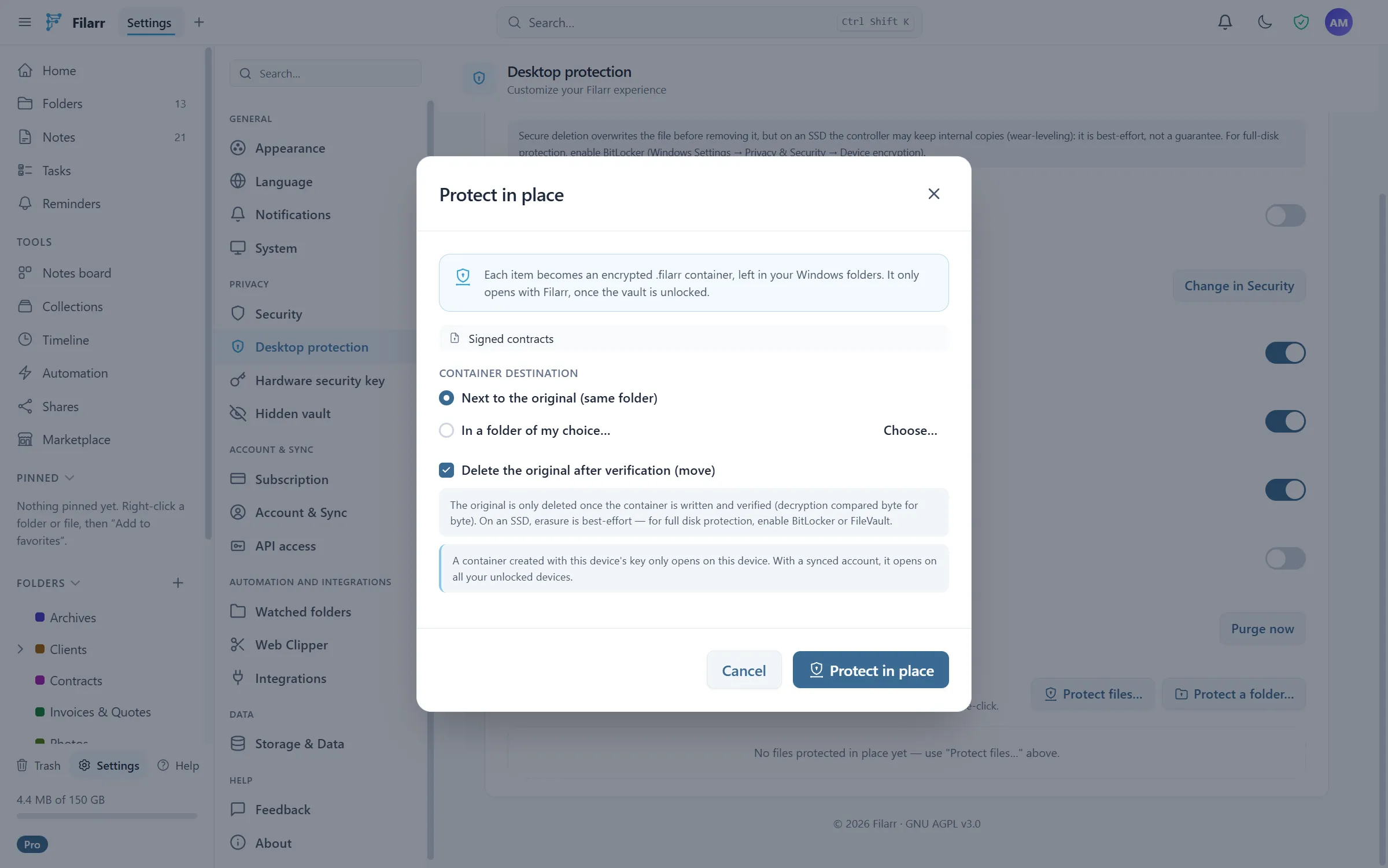
No need to file everything away inside the app. "Protect in place" turns a file — or a whole folder — into an encrypted .filarr container that only opens through Filarr. On import, "Move into the vault" verifies that the encrypted copy decrypts back byte for byte before securely deleting the original: no more plaintext copy forgotten next to the protected file. All of it one right-click away in Explorer, from the tray, or in compact mode.
Enormous files, without thinking about it
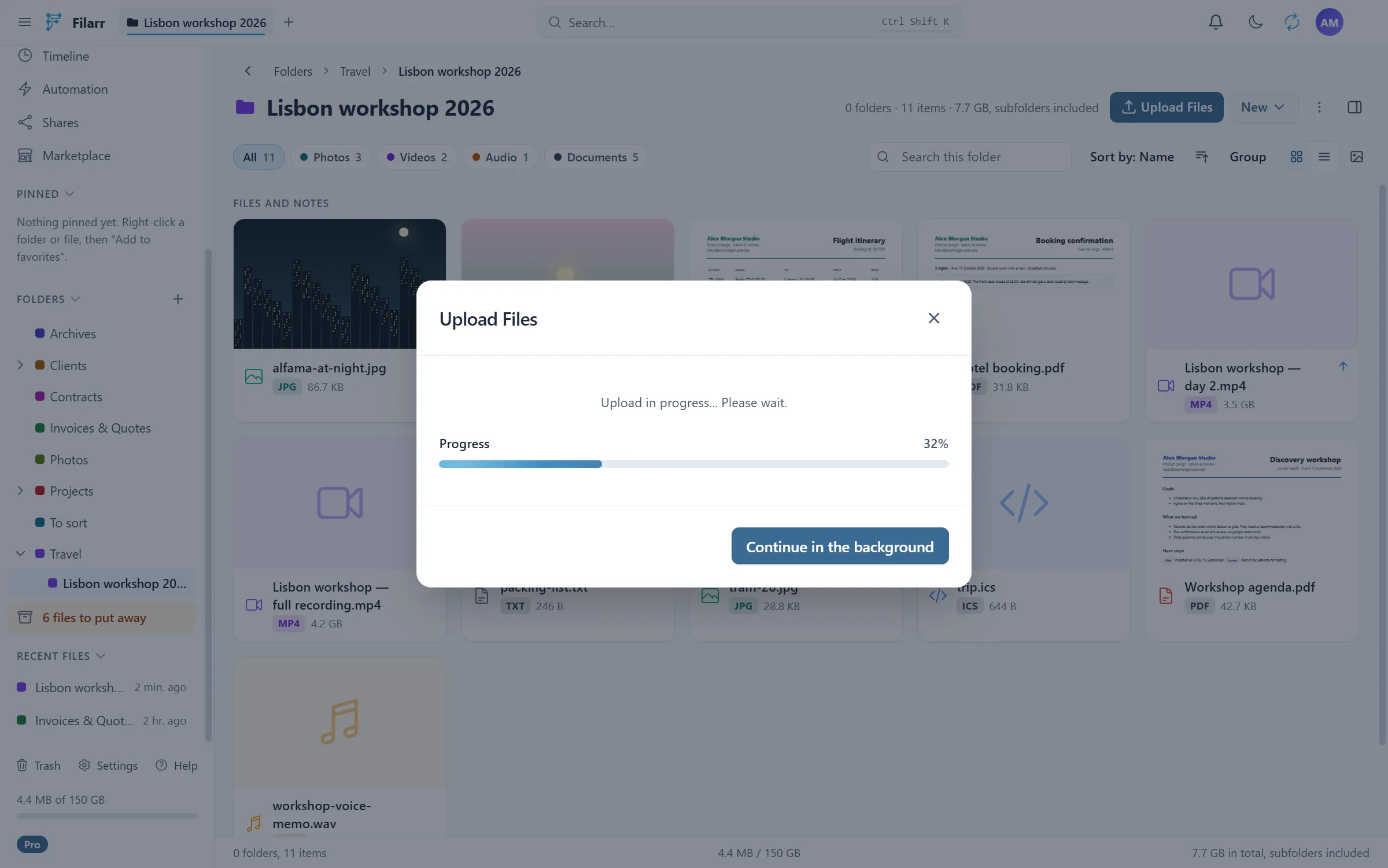
Streaming encryption at ~550 MB/s with flat memory whatever the size, import up to 50 GB per file in the desktop app and, with an account, in the browser, direct transfer to encrypted storage and parallel uploads that saturate your connection. A synced file counts against your plan’s storage; beyond 50 GB, the desktop app offers to keep it on the computer, encrypted, with no copy in the cloud. Sync is incremental: editing 5 MB inside a 4 GB video transfers ~5 MB. Connection dropped? The upload picks up where it stopped. The Android app currently opens files up to 5 GB.
Multi-profile
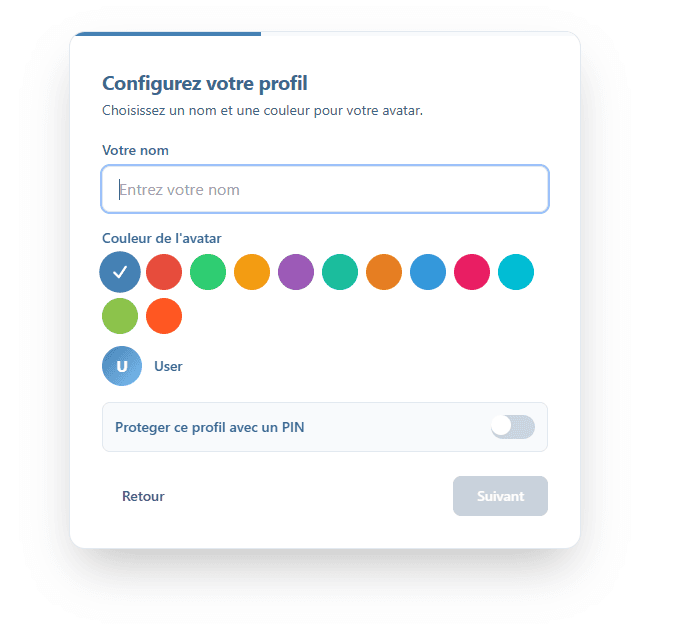
Create fully isolated profiles: personal, work, client A, client B. Each profile has its own encryption, its own files, its own notes. Switch between profiles with one click, no risk of mixing.
Individual export
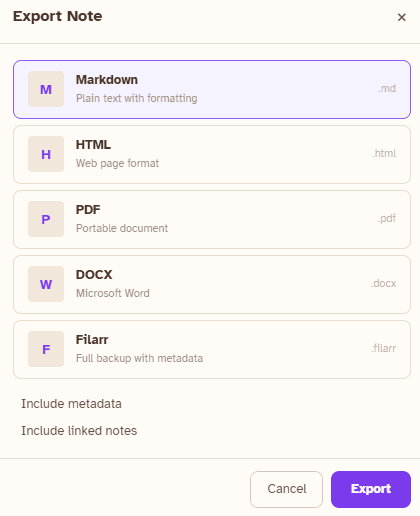
Export your notes and files one by one in the format of your choice — Markdown, PDF, DOCX, JSON, or the raw file — or your whole vault at once as an encrypted ZIP. Your data is yours and nothing holds you back: layouts export too, as a .filarrlayout file.
Works 100% offline
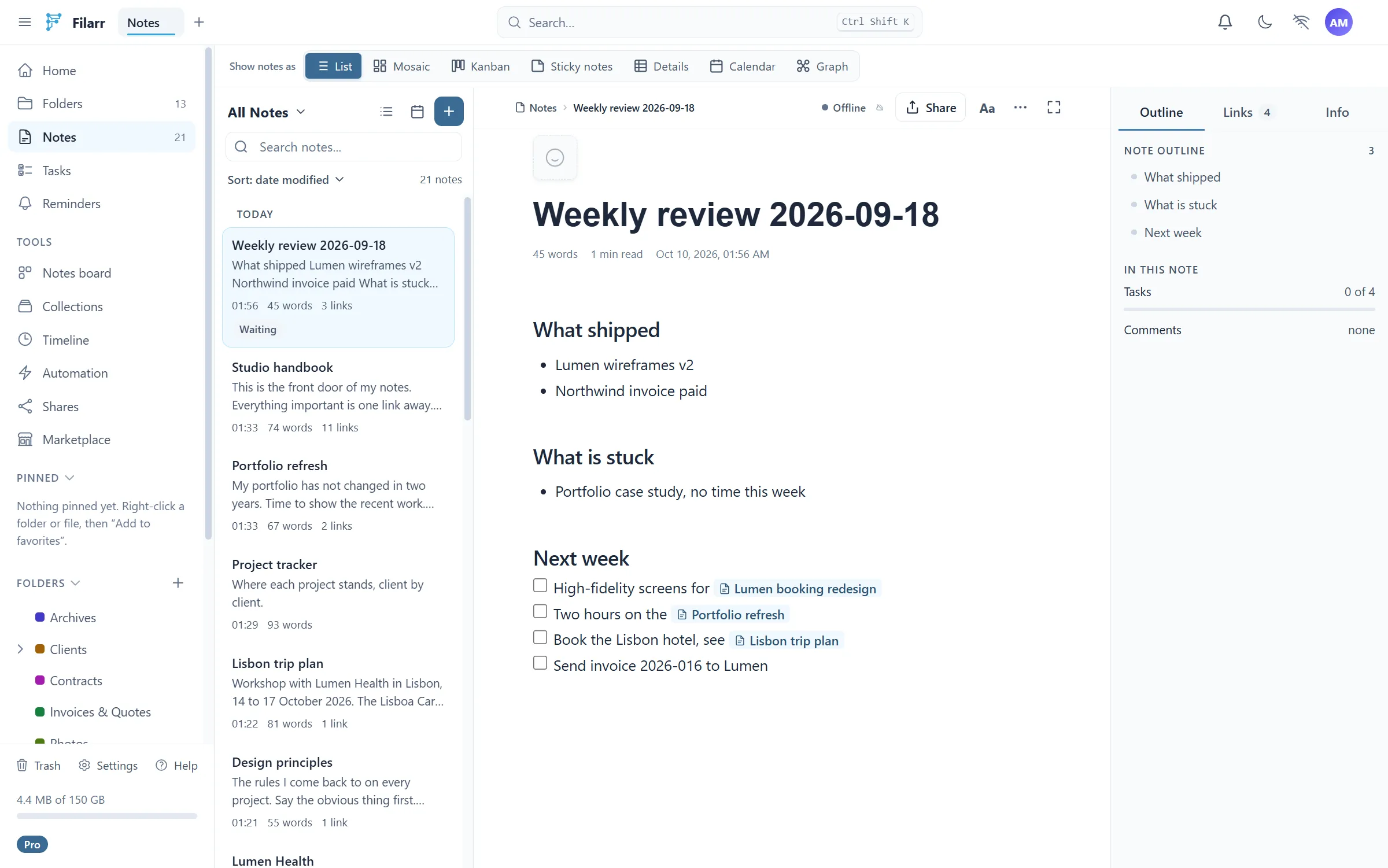
Filarr works entirely without an internet connection. No cloud dependency — sync is optional. Your data stays on your machine by default, and when synced, it’s encrypted before leaving your device.
Download and see for yourself.
The local core is free forever. Cloud sync starts with 5 GB free; paid tiers begin at €4/month. No account required locally.