The Notion and Google Drive alternative, end-to-end encrypted.
Filarr is an app for taking notes and storing your files, synced across all your devices. Everything is encrypted on your device before it is sent: our servers only store data they cannot read.
Free, with 5 GB of sync · Windows, Linux, Android · Mac coming soon
- 1,000+ users
- Public source code
- Made in France
- No ads, no tracking
Need to send a large, confidential file?
Filarr Send encrypts it in your browser. Free up to 4 GB, no account.
Notes, databases and files, in one place.
Take notes, store your documents, connect your ideas: one app, encrypted.
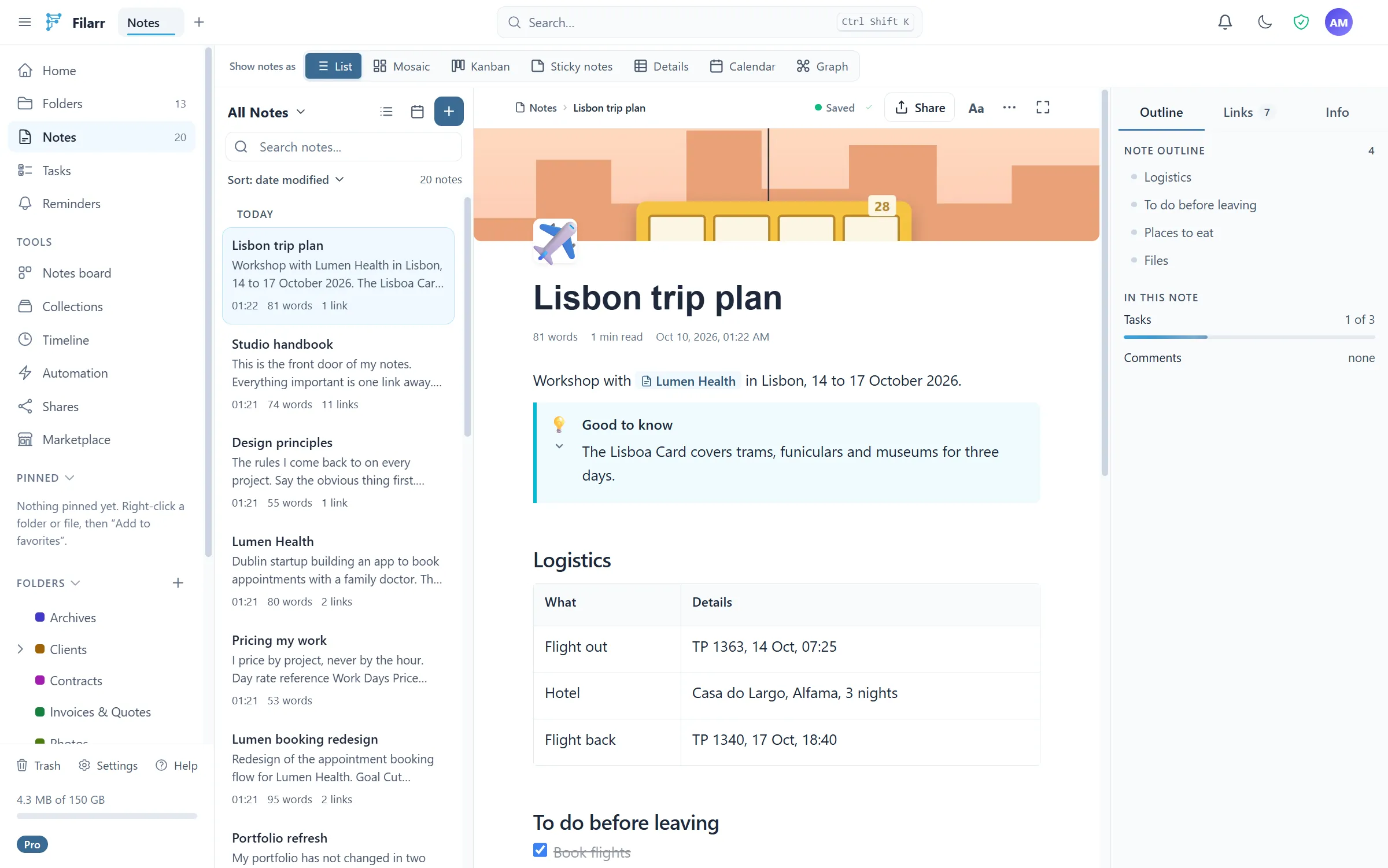
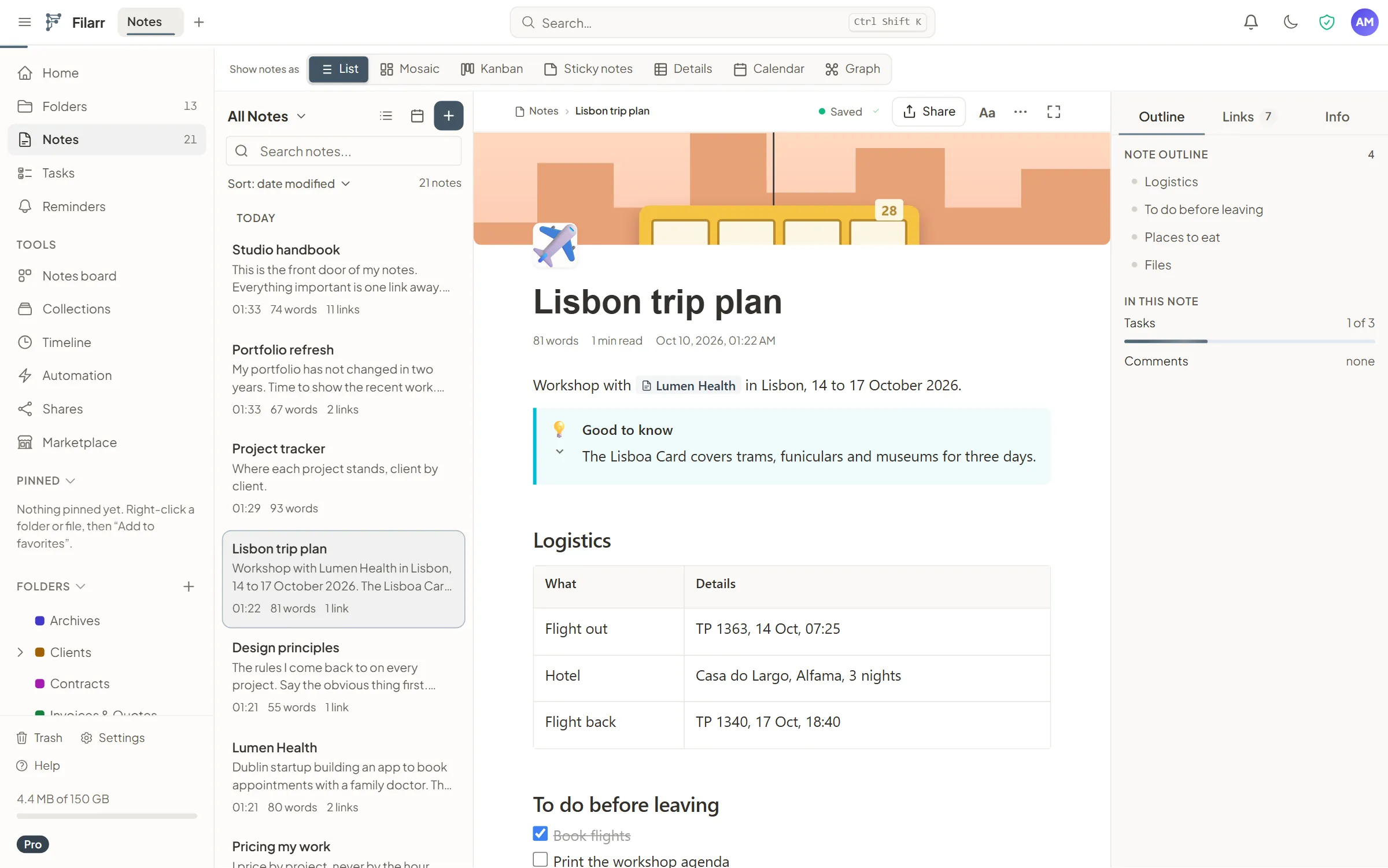
Take notes and organize them
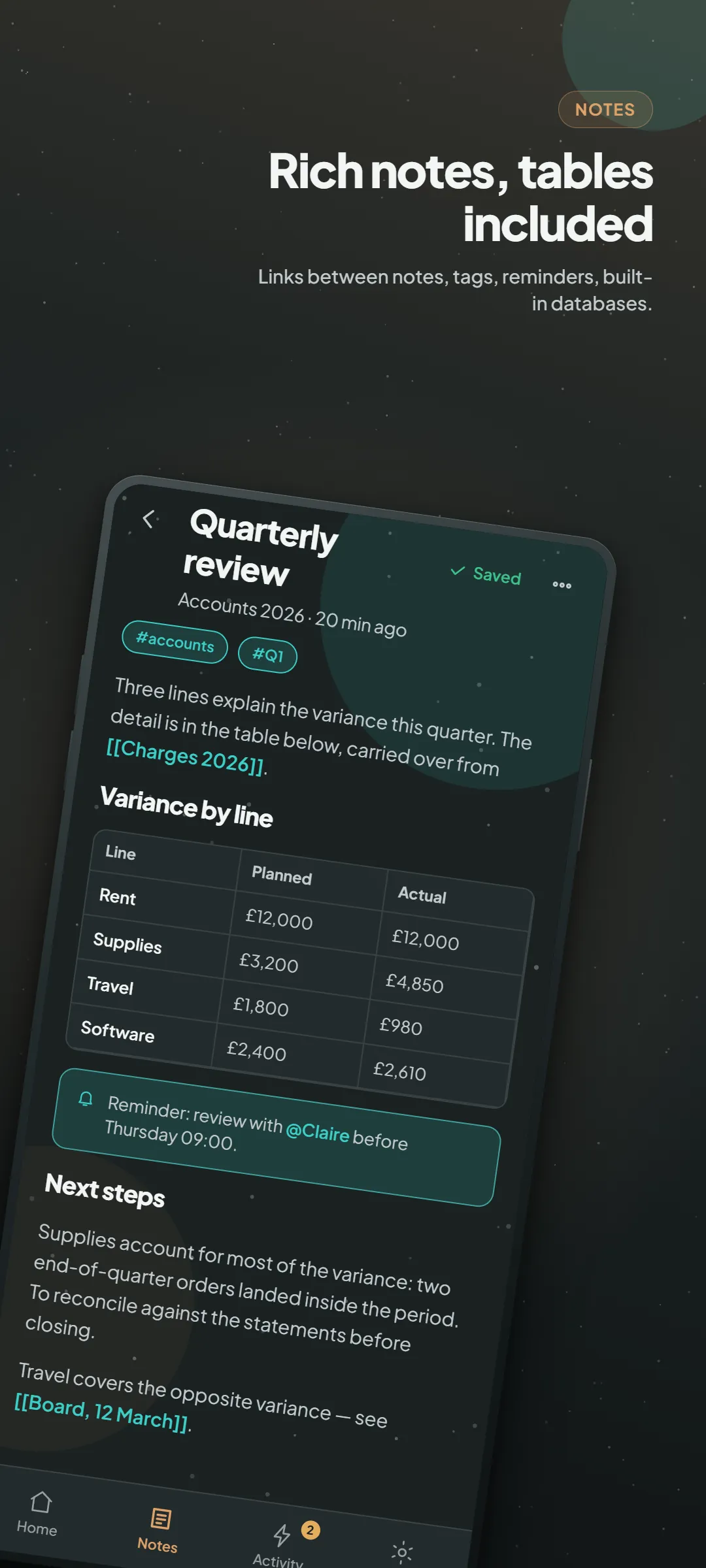
A block editor, like in Notion: headings, task lists, tables, databases, links from one note to another. Your notebooks stay organized the way you like.
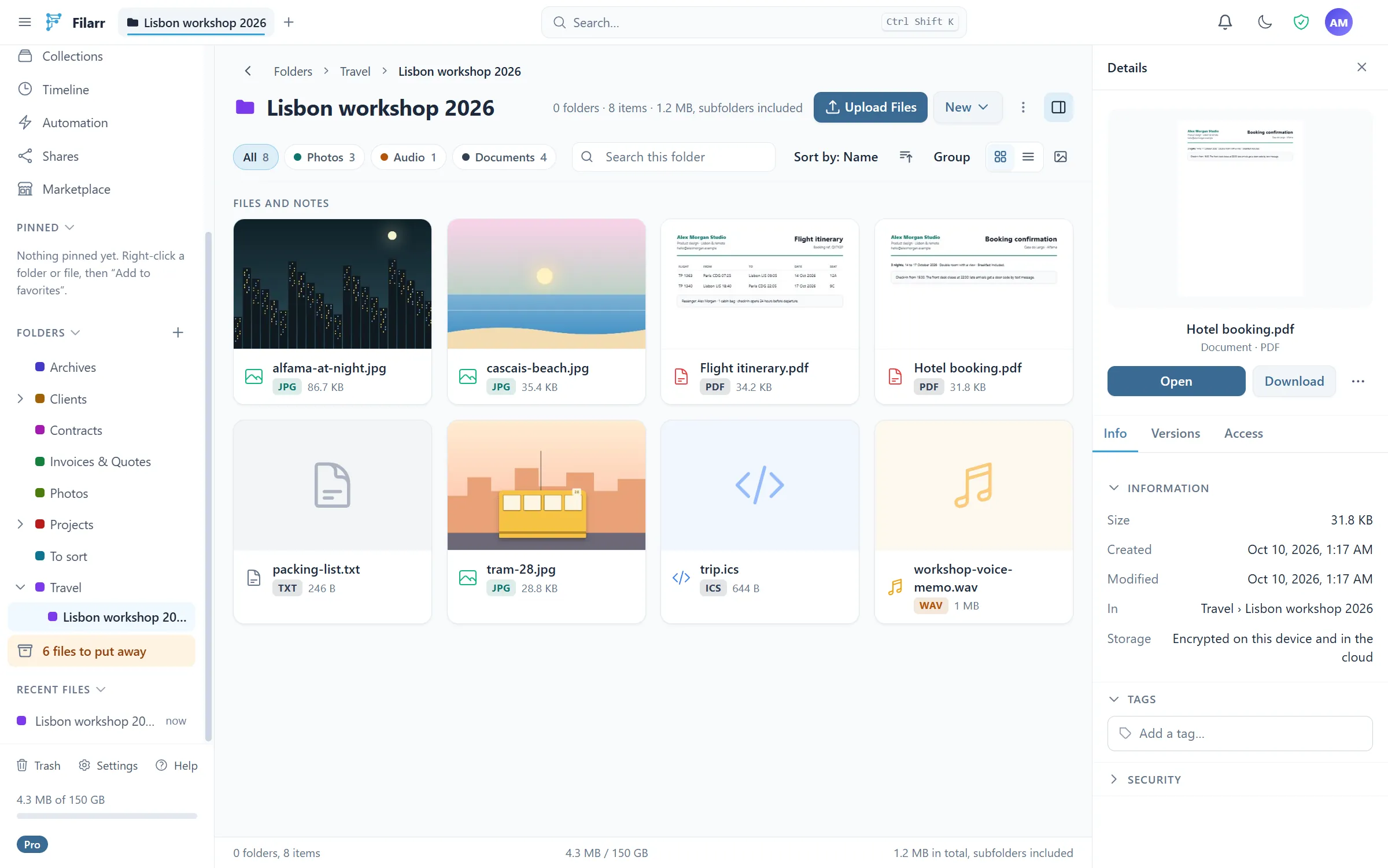
Store your documents in an encrypted cloud
Store PDFs, images, videos and documents in folders, find them on all your devices, and open them without leaving Filarr, each with a preview.
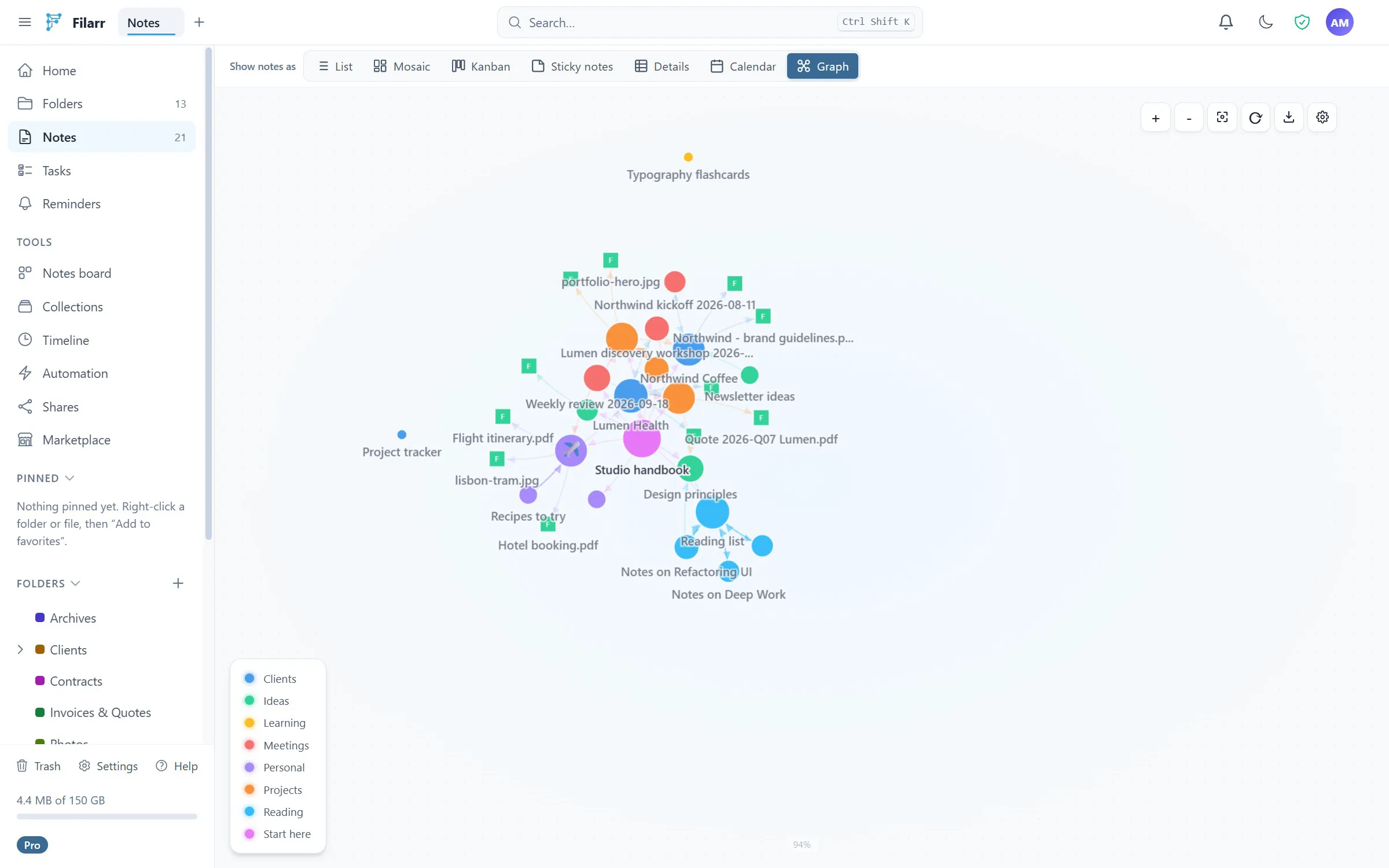
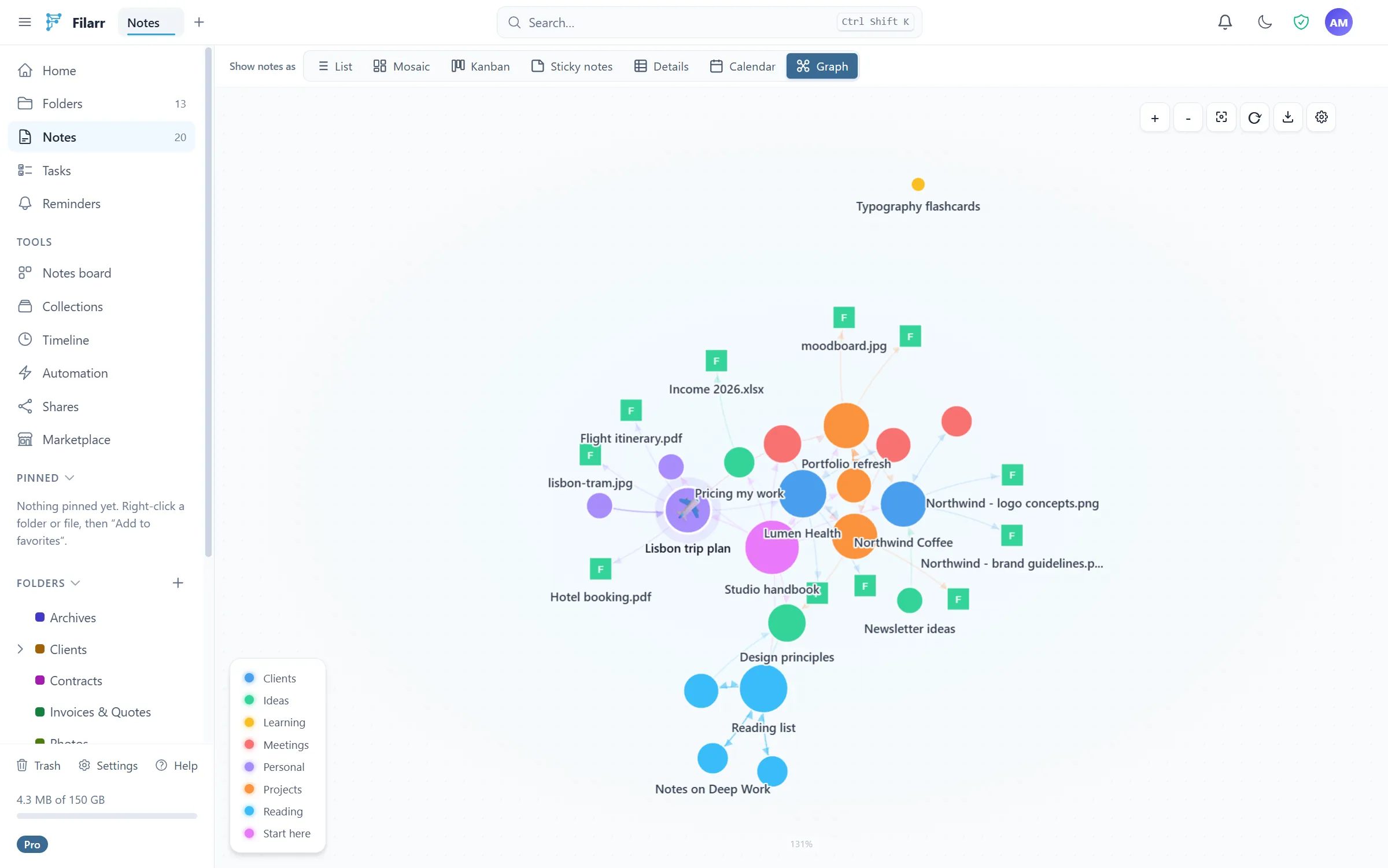
Connect your ideas in a graph
Link a note to another, or to a file: Filarr draws the map of those links. You see at a glance what belongs together.
More than 80 formats open right inside Filarr: PDF, images, video, audio, code, archives… Everything is displayed on your device, with no third-party service.
All features →End-to-end encryption, explained simply.
You don’t need to be an expert to understand what protects your data. Here is what happens, without jargon.
Encrypted on your device, first
Encryption happens on your computer or phone, before any sync. Nothing leaves in the clear.
The server only keeps encrypted data
What sync sends to our servers is already encrypted: they only store data they cannot read.
Every file has its own key
Each note and each file is encrypted with a key of its own. One exposed key would not open the others.
Offline, if you want
Filarr also works without a connection, and even without an account: your notes then stay on your device only.
Your files stay yours
On a computer, they also stay on your disk and open without a connection. Export them whenever you want, one by one or all at once.
Your notes, synced across all your devices.
Your notes and files follow you from one device to the next, with end-to-end encrypted sync.
Browser
The web app opens your notes and files from any browser, with nothing to install.
Open the web appAndroid
Notes, files and shared vaults in your pocket, with the files you choose available offline.
Get it on Google Play
No iPhone app yet, and no announced date. Meanwhile, the web app opens in the iPhone’s browser.
Filarr vs Notion, Obsidian and Cryptomator: an honest comparison.
Filarr next to the tools you know, on criteria you can check.
| Criterion | Filarr | Notion | Obsidian | Cryptomator |
|---|---|---|---|---|
| Files encrypted on disk | AES-256-GCM | No | No (third-party plugins) | AES-256 |
| End-to-end encrypted sync | Yes | No | With Obsidian Sync (paid) | Through your cloud |
| Offline, files on your disk | Yes | No (cloud storage) | Yes | Yes |
| Note editor | Blocks, tasks, tables, databases | Blocks | Markdown | No |
| Link graph | Notes + files | No | Yes | No |
| Canvas | Yes | No | Yes | No |
| No account for local use | Yes | No | Yes | Yes |
| Mobile apps | Android | Android, iOS | Android, iOS | Android, iOS |
| Public source code | Yes (BSL 1.1) | No | No | Yes (GPL) |
| Price | Free, basic sync included | Free + subscriptions | Free, paid Sync | Free on desktop, paid mobile apps |
Where they do better
Notion
Real-time team collaboration at scale, and hundreds of integrations.
Obsidian
A huge ecosystem of community plugins, and Mac and iPhone apps.
Cryptomator
It encrypts on top of the cloud you already use, and runs on iPhone.
Free, with 5 GB of encrypted cloud. No credit card.
Notes, files, graph and encryption are free, with 5 GB of sync. You only pay for more space, sharing or team features.
Free
Everything you need to get started
€0
5 GB of encrypted sync
Solo
For anyone who wants their vaults everywhere — and shared
€4/month
25 GB of encrypted sync
Pro
For large volumes and working groups
€8/month
150 GB of encrypted sync
Teams
End-to-end encrypted vaults and file requests, shared across your team
€11/seat/month
100 GB of encrypted sync per seat
Frequently asked questions
Is Filarr really free?
Yes. Notes, files, graph, canvas and encryption are free for life, with no account. Sync has a free tier too: 5 GB, with no time limit and no credit card.
Can Filarr read my data?
No. Your notes and files are encrypted on your device before any sync: our servers only store encrypted data they cannot read. It is not a promise, it is how the architecture is built.
What about Mac or iPhone?
The Mac app is coming soon, with no firm date yet. There is no iPhone app and no announced date. On both, the web app opens in the browser, with nothing to install.
Can I leave and keep my files?
Yes. Your files are already on your disk, and you can export them at any time: one note or file at a time (Markdown, PDF, DOCX, raw file), or your whole vault at once as an encrypted ZIP. If you cancel a subscription, your local files are untouched and your cloud data stays downloadable for 30 days.
Try the encrypted Notion alternative, for free.
Create your free account to get your notes on all your devices, or start locally, with no account.
Free, with 5 GB of sync · Windows, Linux, Android · Mac coming soon