Introducing Filarr — an encrypted, local-first workspace
Notes, files, graph view, canvas — all encrypted with AES-256-GCM, all on your machine. No cloud required. No account needed. Free.
Mathis Belouar-Pruvot
Quick Answer. Filarr is a free desktop workspace for Windows, macOS, and Linux that combines encrypted file storage, a rich note editor with wiki-links, a knowledge graph that connects notes and files, and a built-in canvas. Every file is encrypted with AES-256-GCM on your local disk. No account is required to use it.
Update — March 2026: Cloud sync with end-to-end encryption is now live in v2.0. Some limitations described below (no cloud sync, no multi-device) have been resolved.
Why does Filarr exist?
Most productivity tools ask you to trust them with your data. Notion stores everything on their servers. Obsidian is local but doesn't encrypt. Cryptomator encrypts but doesn't do anything else.
I wanted something different: a complete workspace where everything is encrypted by default, everything stays on your machine, and you don't need to create an account or pay a subscription to use it.
That's Filarr.
What does Filarr include beyond file storage?
Filarr is a desktop application for Windows, macOS, and Linux. It's not a Dropbox alternative — it's a full workspace that combines four things usually scattered across separate tools.
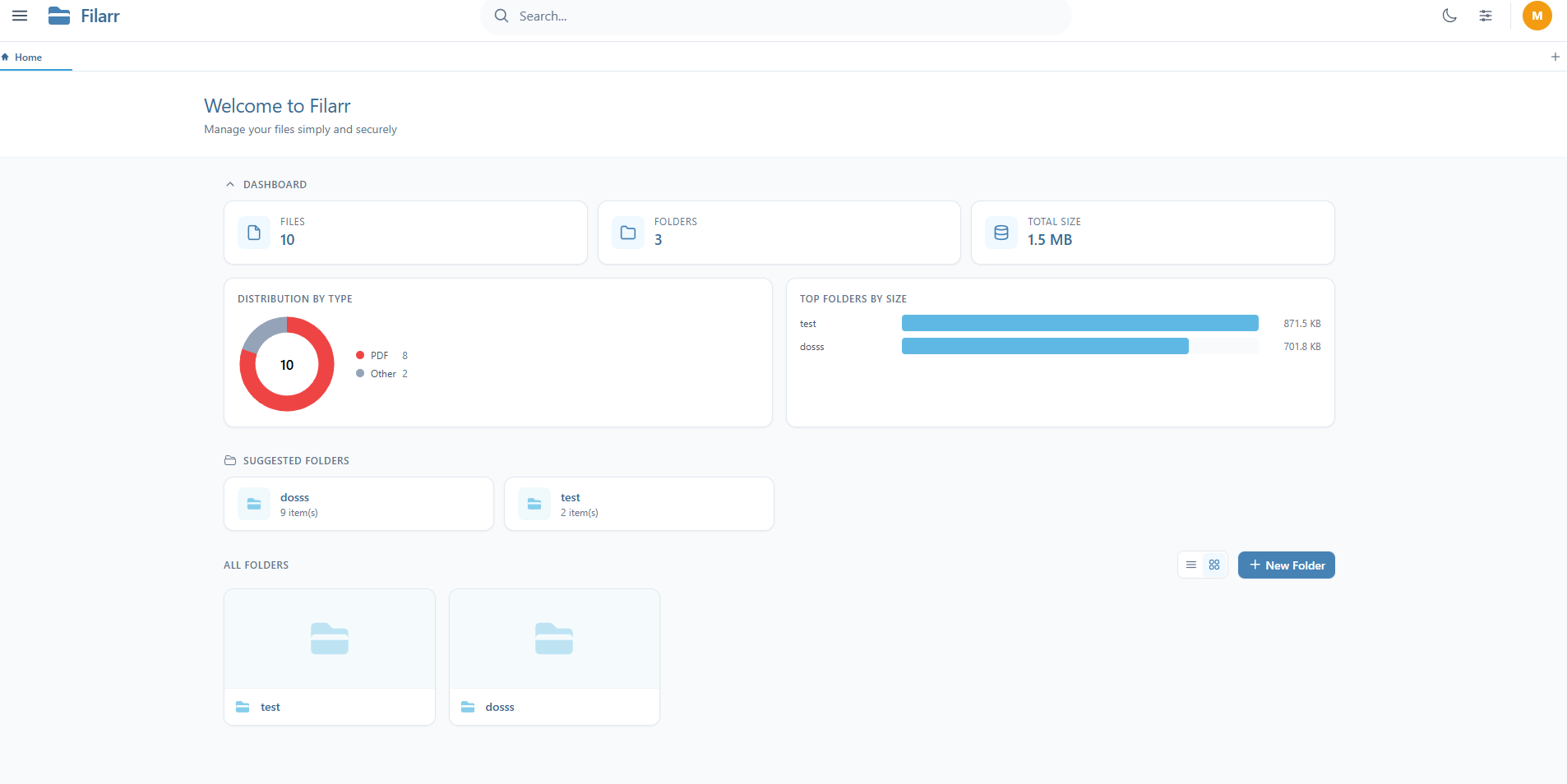
Encrypted file storage
Every file you add to Filarr is encrypted with AES-256-GCM. Each file gets its own encryption key (FEK), and all FEKs are protected by a master key (KEK) derived from your password via PBKDF2. If one key is compromised, only that file is exposed — not the rest.
This isn't an add-on or a plugin. It's the architecture.
Rich note editor
A block-based editor powered by TipTap. Tasks, tables, callouts, bidirectional wiki-links, content transclusion between notes, reusable templates. Not just Markdown — actual structured blocks, with encryption applied to every note.
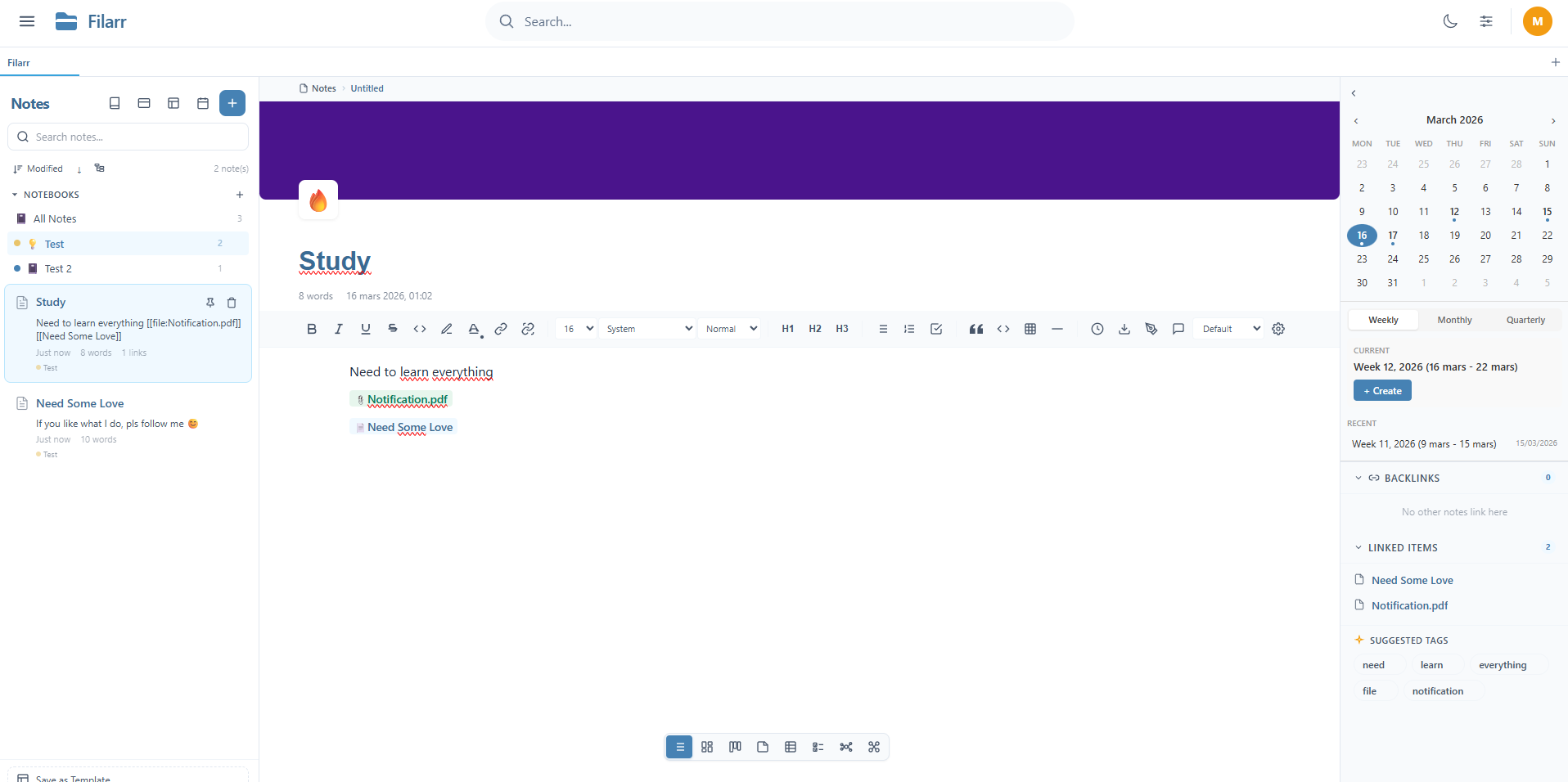
The sidebar shows your notebooks, backlinks, linked items, suggested tags, and a calendar. The toolbar gives you formatting, headings, code blocks, tables, and more. Everything is encrypted locally.
Graph view
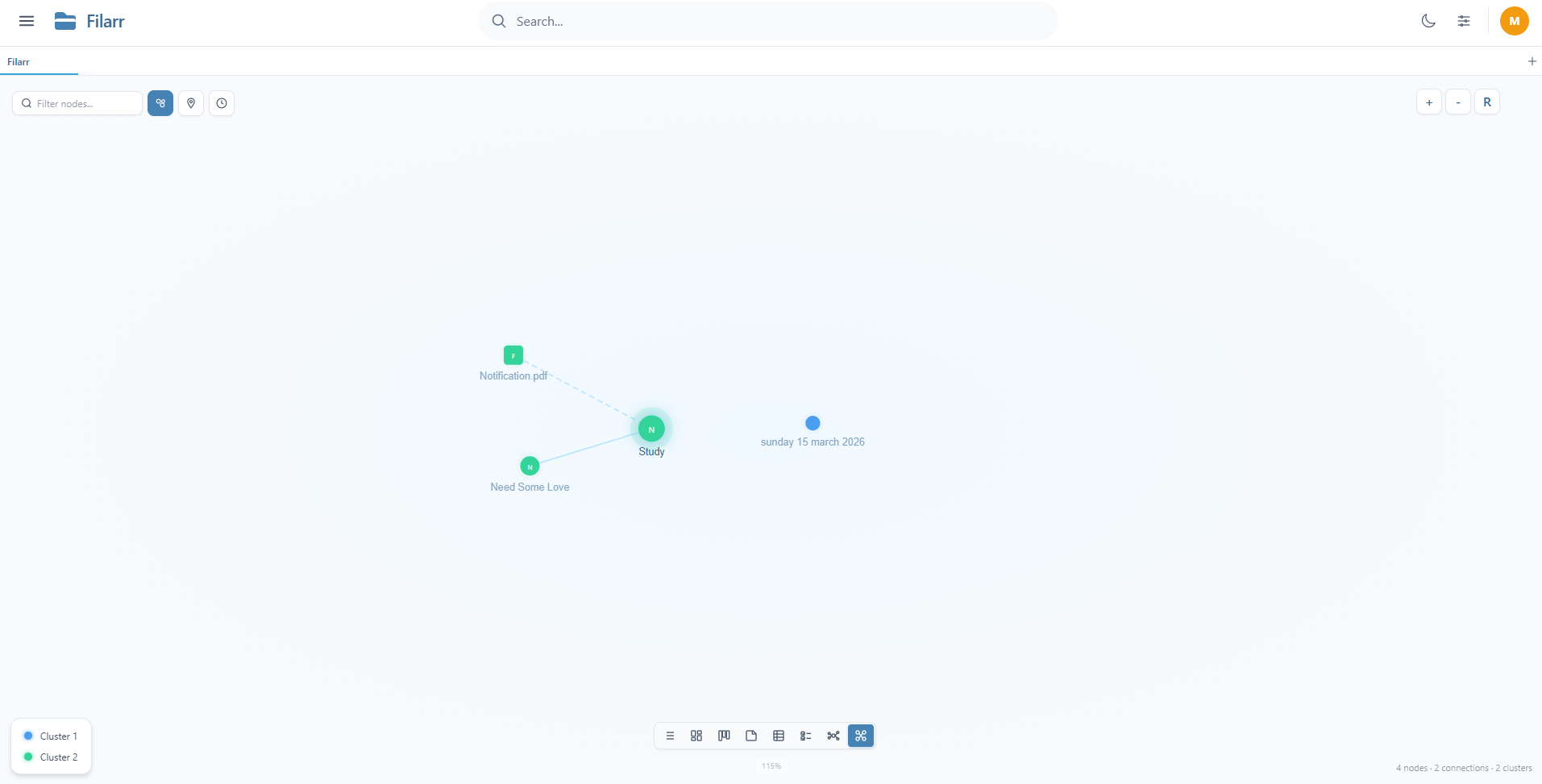
Filarr's graph view connects your notes AND your files. Real-time physics simulation, automatic community detection, and a time travel mode to watch how your connections evolved over time. Built from scratch — not a library or a plugin.
Multiple views
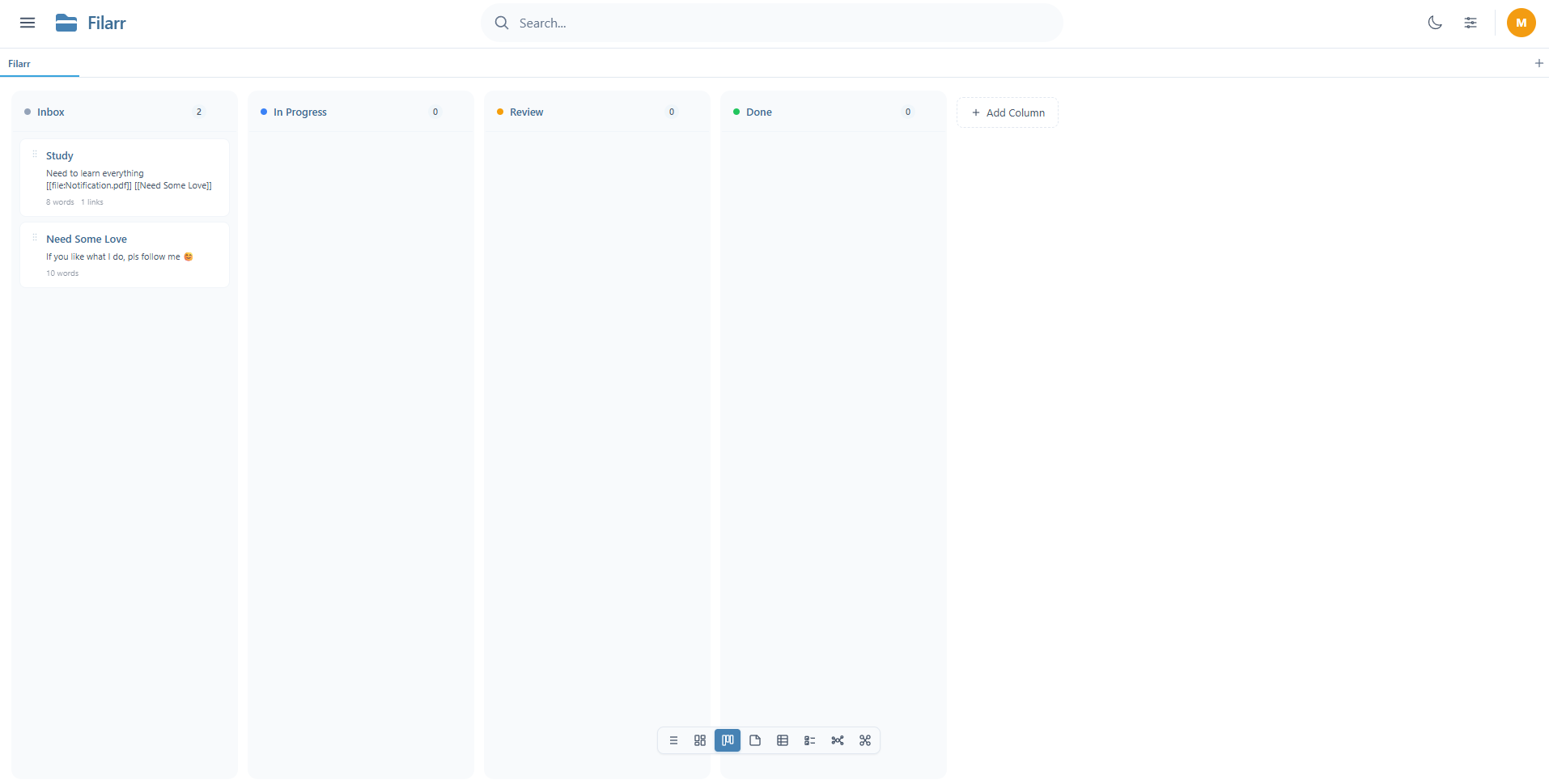
Your data, displayed how you want. Switch between list, masonry, kanban, table, and more — without changing the underlying data.
How does Filarr isolate data between profiles?
This isn't just "separate folders." Each profile in Filarr has its own encryption keys, its own files, its own notes. The profile "nat" and the profile "Mathis" share nothing — not even the master key.
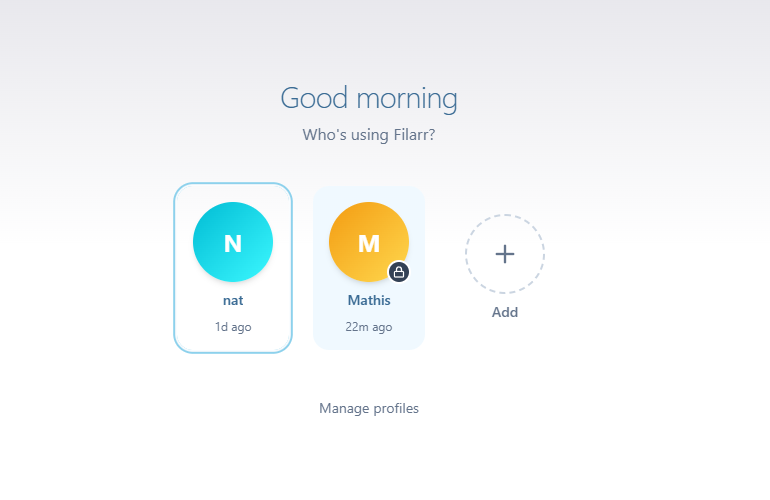
Create a personal profile, a work profile, one per client. Switch with one click, zero risk of mixing data.
Can Filarr automate file organization?
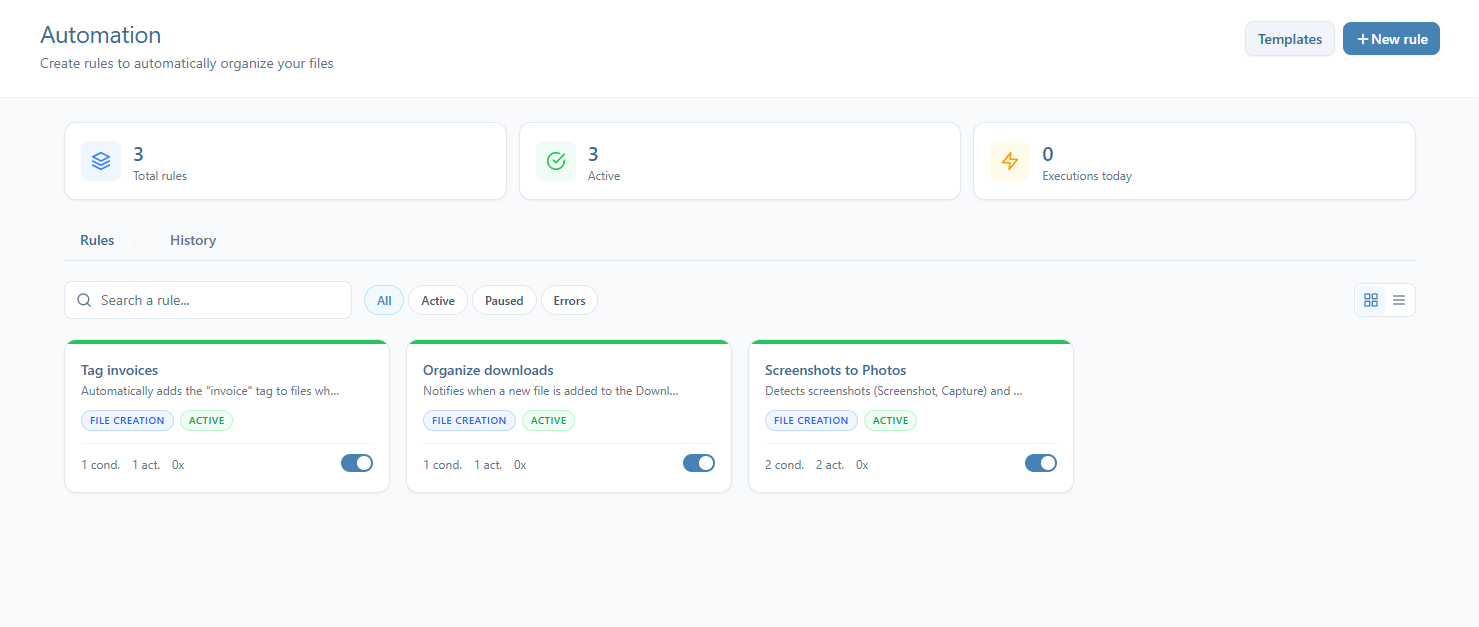
Set up rules to automatically organize your files. Tag invoices, sort downloads, move screenshots — Filarr watches for file events and runs your rules automatically.
Which file formats can Filarr preview?
PDF, video, audio with waveform display, source code with syntax highlighting for 30+ languages, Markdown with Mermaid diagrams and KaTeX math, images, archives, and more. Everything is decrypted and displayed locally — no third-party service involved.
What does Filarr NOT do yet?
I'd rather be honest than overpromise:
- No cloud sync. It's under active development. When it ships, it will be an optional paid feature. The local core will remain free.
- No mobile app. Desktop only for now — Windows, macOS, Linux.
- Code is not public. The repo is private during the initial phase. Open-sourcing is being considered after an independent security audit.
- No SOC2 or HIPAA certification.
How much does Filarr cost?
Free. Everything included. No artificial limits. No freemium unlock gates.
When cloud sync arrives, it will likely be paid. But the local workspace — encryption, notes, graph view, canvas, multi-profile, 51+ formats — is free and will stay free.
Where can I download Filarr?
Filarr is available now on Windows, macOS, and Linux. No account required. No credit card. Install in 30 seconds.
Related articles
- StoryWhy I built FilarrI wanted one app for my files, my notes, and my knowledge graph — encrypted by default, no cloud, no account. Nothing existed, so I built it.
- ComparisonIs Proton Drive Really Zero-Knowledge? An Honest, In-Depth Answer (2026)Is Proton Drive really zero-knowledge? Yes on file contents, names and folders, with honest caveats on metadata, browser trust and audits. Compared with Filarr.
- ComparisonEncrypted Google Keep Alternative: Private Notes That Actually Respect Your Data (2026)Google Keep encrypts your notes but Google holds the keys and can read them. Here is Filarr, a local-first, zero-knowledge encrypted Google Keep alternative, compared honestly.