Présentation de Filarr — un espace de travail chiffré et local-first
Notes, fichiers, graph view, canvas — tout chiffré en AES-256-GCM, tout sur votre machine. Pas de cloud obligatoire. Pas de compte. Gratuit.
Mathis Belouar-Pruvot
Réponse rapide. Filarr est un workspace desktop gratuit pour Windows, macOS et Linux qui combine stockage de fichiers chiffré, éditeur de notes riche avec wiki-liens, graphe de connaissances reliant notes et fichiers, et canvas intégré. Chaque fichier est chiffré avec AES-256-GCM sur votre disque local. Aucun compte n'est requis pour l'utiliser.
Mise à jour — Mars 2026 : La synchronisation cloud avec chiffrement de bout en bout est disponible dans la v2.0. Certaines limitations décrites ci-dessous (pas de sync cloud, pas de multi-appareils) ont été résolues.
Pourquoi Filarr existe-t-il ?
La plupart des outils de productivité vous demandent de leur confier vos données. Notion stocke tout sur leurs serveurs. Obsidian est local mais ne chiffre rien. Cryptomator chiffre mais ne fait rien d'autre.
Je voulais quelque chose de différent : un espace de travail complet où tout est chiffré par défaut, tout reste sur votre machine, et vous n'avez besoin ni de créer un compte ni de payer un abonnement.
C'est Filarr.
Que contient Filarr au-delà du stockage de fichiers ?
Filarr est une application desktop pour Windows, macOS et Linux. Ce n'est pas une alternative à Dropbox — c'est un espace de travail complet qui combine quatre choses habituellement dispersées dans des outils séparés.
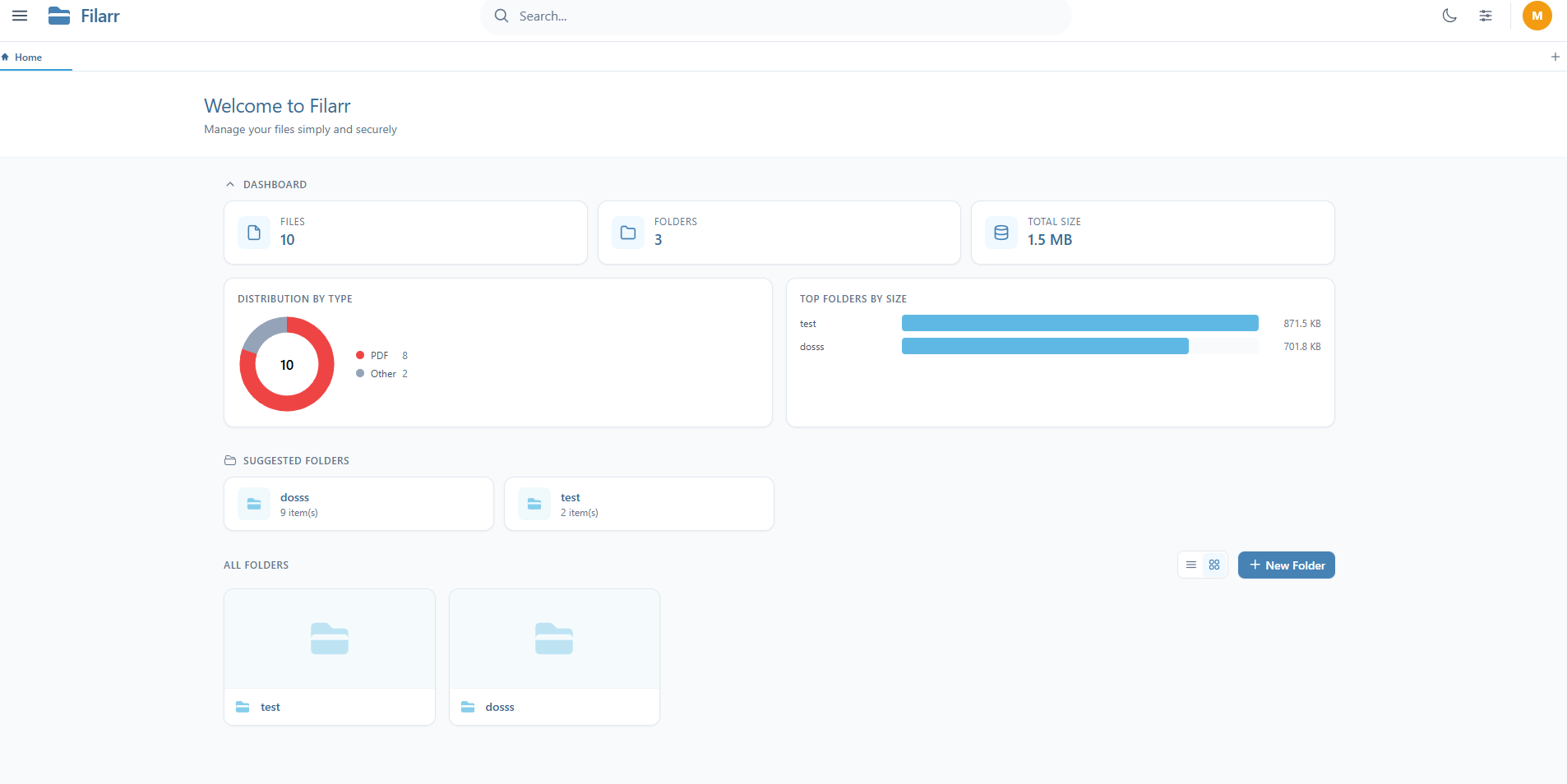
Stockage de fichiers chiffré
Chaque fichier ajouté à Filarr est chiffré en AES-256-GCM. Chaque fichier a sa propre clé de chiffrement (FEK), et toutes les FEK sont protégées par une clé maître (KEK) dérivée de votre mot de passe via PBKDF2. Si une clé est compromise, seul ce fichier est exposé — pas les autres.
Ce n'est pas un add-on ou un plugin. C'est l'architecture.
Éditeur de notes riche
Un éditeur bloc basé sur TipTap. Tâches, tableaux, callouts, wiki-links bidirectionnels, transclusion entre notes, templates réutilisables. Pas juste du Markdown — de vrais blocs structurés, avec chiffrement appliqué à chaque note.
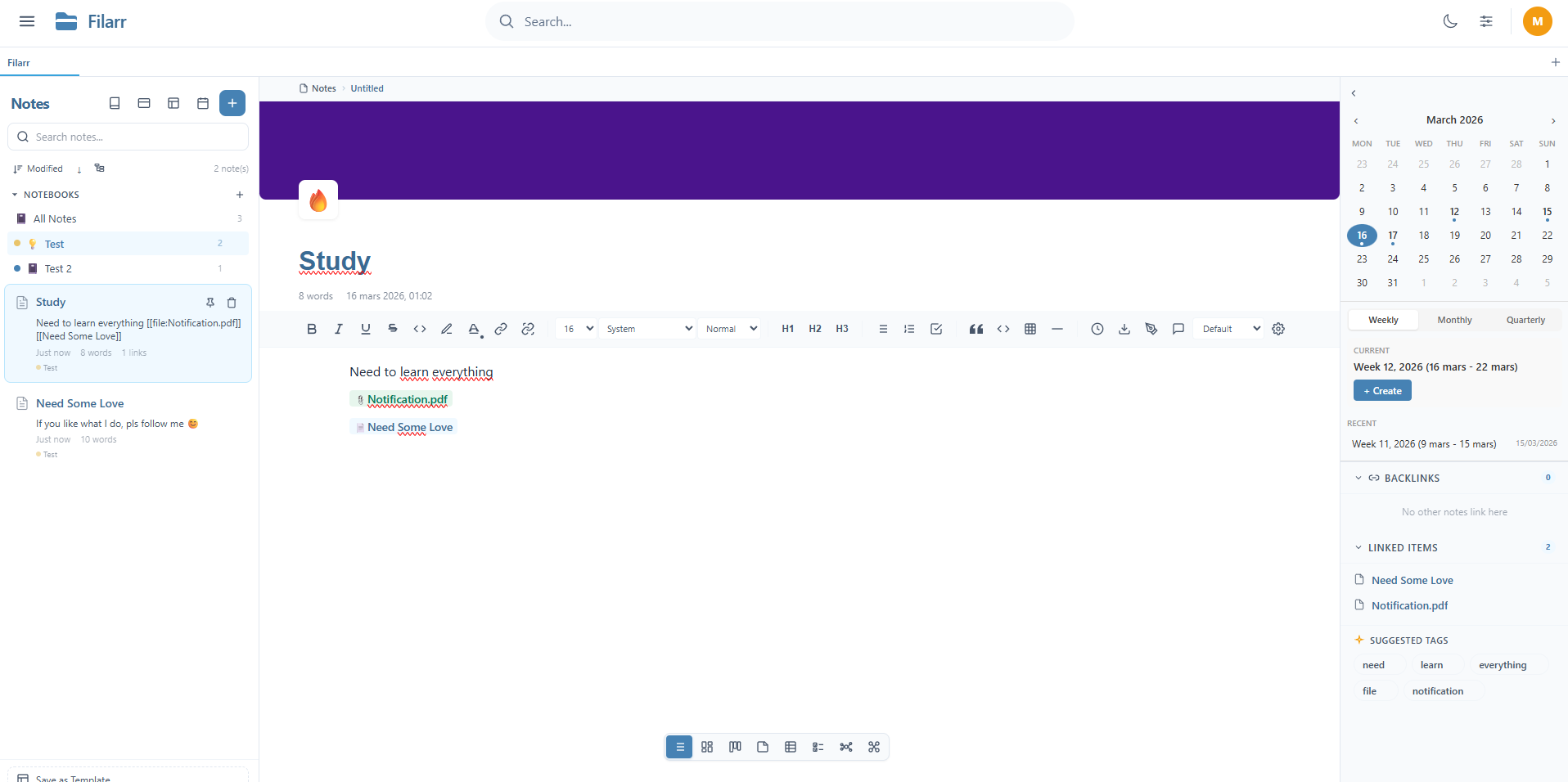
La barre latérale affiche vos carnets, rétroliens, éléments liés, suggestions de tags et un calendrier. La barre d'outils donne accès au formatage, titres, blocs de code, tableaux et plus. Tout est chiffré localement.
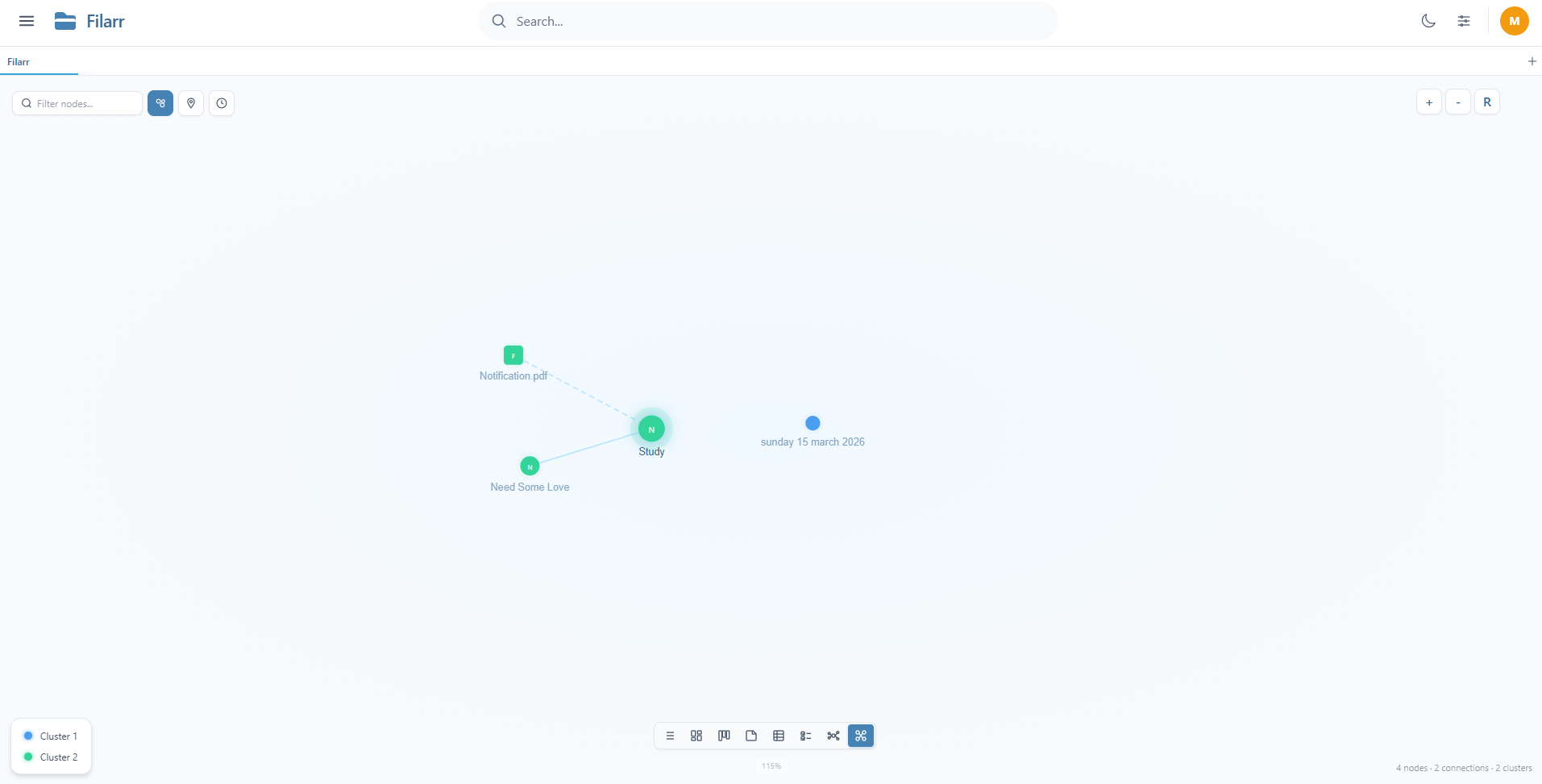
Vue graphe
La vue graphe de Filarr connecte vos notes ET vos fichiers. Simulation physique en temps réel, détection automatique de communautés, et un mode voyage dans le temps pour voir comment vos connexions ont évolué. Construit from scratch — pas une librairie ni un plugin.
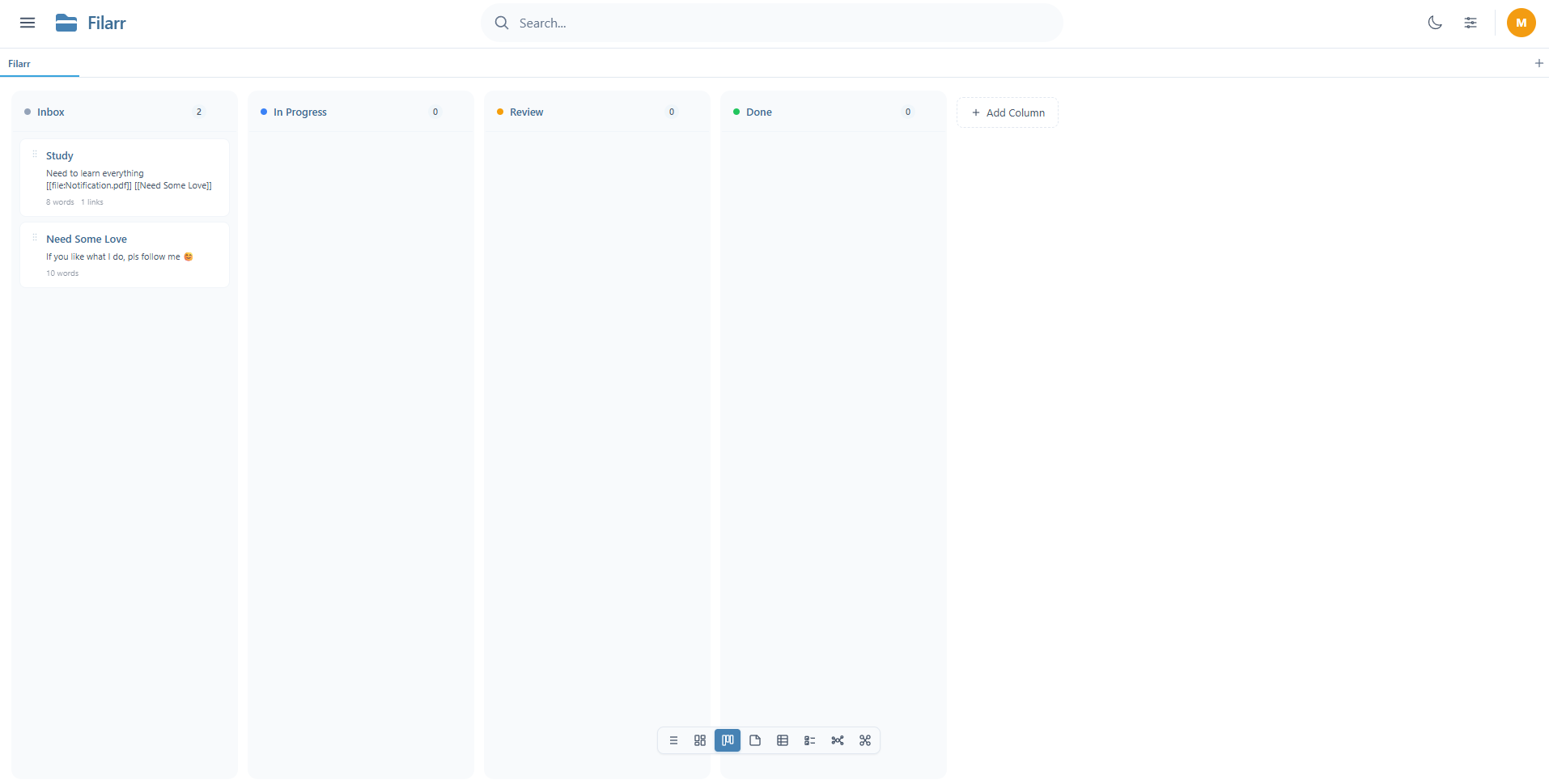
Vues multiples
Vos données, affichées comme vous voulez. Basculez entre liste, mosaïque, kanban, tableau et plus — sans changer les données sous-jacentes.
Comment Filarr isole-t-il les données entre profils ?
Ce n'est pas juste des « dossiers séparés ». Chaque profil dans Filarr a ses propres clés de chiffrement, ses propres fichiers, ses propres notes. Le profil « nat » et le profil « Mathis » ne partagent rien — pas même la clé maître.
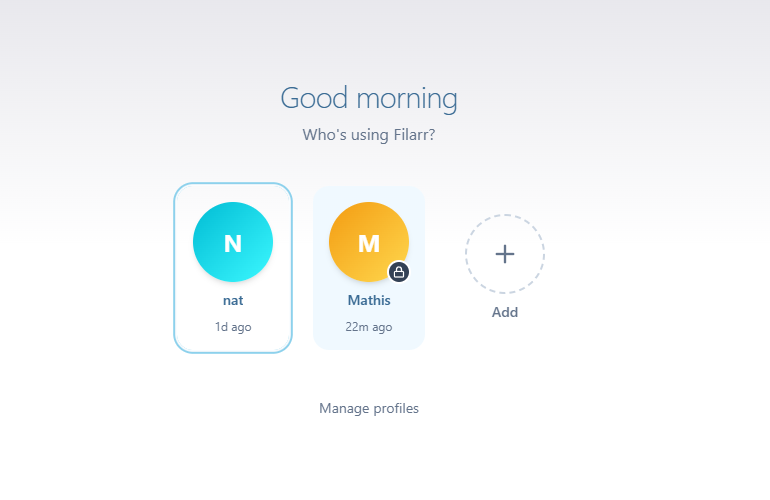
Créez un profil personnel, un profil pro, un par client. Changez en un clic, zéro risque de mélanger les données.
Filarr peut-il automatiser l'organisation des fichiers ?
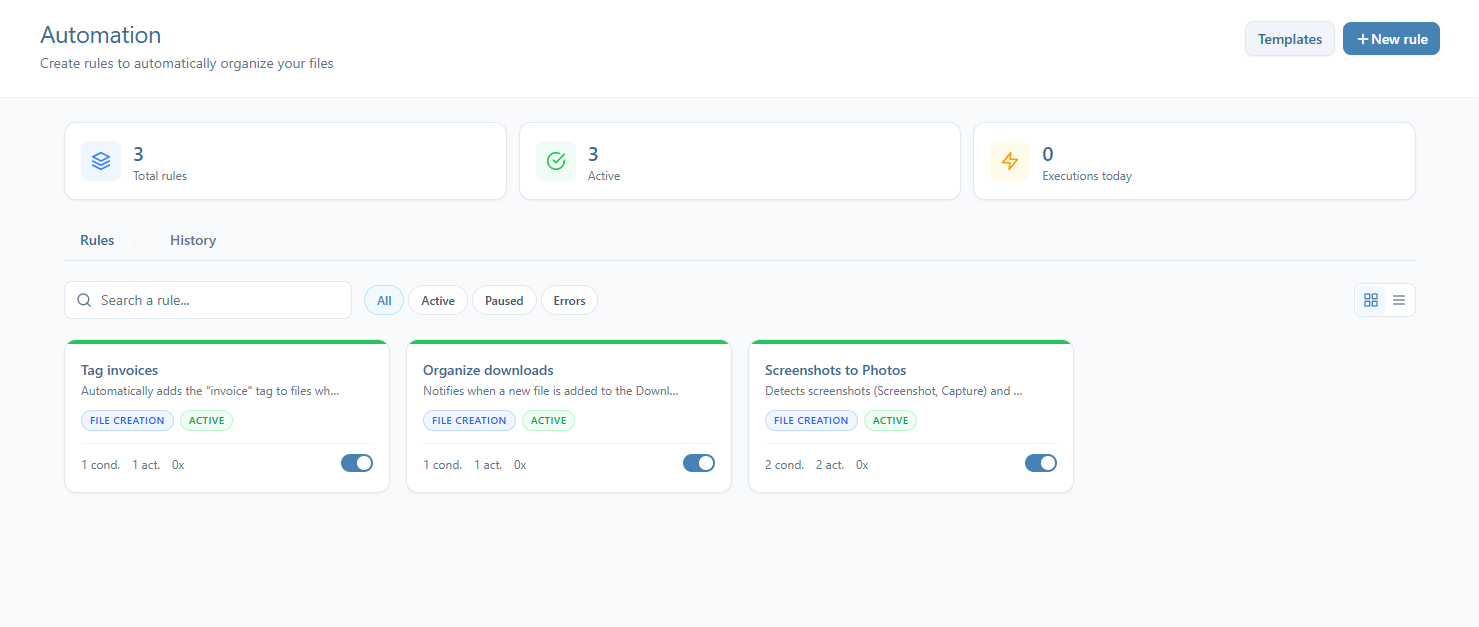
Configurez des règles pour organiser automatiquement vos fichiers. Taguez les factures, triez les téléchargements, déplacez les captures d'écran — Filarr surveille les événements fichiers et exécute vos règles automatiquement.
Quels formats de fichiers Filarr peut-il prévisualiser ?
PDF, vidéo, audio avec affichage waveform, code source avec coloration syntaxique pour 30+ langages, Markdown avec diagrammes Mermaid et KaTeX math, images, archives et plus. Tout est déchiffré et affiché localement — aucun service tiers impliqué.
Que ne fait PAS encore Filarr ?
Je préfère être honnête plutôt que de trop promettre :
- Pas de sync cloud. C'est en développement actif. Quand ça arrivera, ce sera une option payante. Le cœur local restera gratuit.
- Pas d'app mobile. Desktop uniquement pour l'instant — Windows, macOS, Linux.
- Le code n'est pas public. Le repo est privé pendant la phase initiale. L'open-source est envisagé après un audit de sécurité indépendant.
- Pas de certification SOC2 ou HIPAA.
Combien coûte Filarr ?
Gratuit. Tout inclus. Pas de limites artificielles. Pas de freemium.
Quand le sync cloud arrivera, il sera probablement payant. Mais l'espace de travail local — chiffrement, notes, graph view, canvas, multi-profil, 51+ formats — est gratuit et le restera.
Où télécharger Filarr ?
Filarr est disponible maintenant sur Windows, macOS et Linux. Pas de compte requis. Pas de carte bancaire. Installation en 30 secondes.
Articles liés
- HistoirePourquoi j'ai construit FilarrJe voulais une seule app pour mes fichiers, mes notes et mon graphe de connaissances — chiffré par défaut, sans cloud, sans compte. Rien n'existait, alors je l'ai construit.
- ComparisonProton Drive est-il vraiment zero-knowledge ? Enquête honnête d'un dev qui a construit une alternative chiffréeProton Drive est-il vraiment zero-knowledge ? Oui pour le stockage (OpenPGP, Curve25519, métadonnées chiffrées), avec des nuances honnêtes sur l'app web.
- ComparaisonAlternatives à Notion qui respectent votre vie privée (2026)Notion stocke vos données sur ses serveurs et détient les clés de chiffrement. Voici les alternatives privacy-first crédibles en 2026 — chiffrées par défaut, local-first, ou open source — avec les tarifs actuels et un chemin de migration pour chacune.